Paul Bischoff · · 11 min read
From sign up to checkout, a complete English guide to shopping on Taobao and Tmall
If you plan on living in China for an extended period of time, using Taobao and Tmall, the country’s two biggest online shopping sites, is well worth the effort. Unfortunately, there’s no English version, so if you can’t read Chinese, then the sites can be a bit daunting – even with Google Translate. That’s why Tech in Asia has decided to make this English-language tutorial on how to use Taobao and Tmall.
Before getting started, you’ll need a Chinese phone number, a credit card (Visa, Mastercard, PCB, or PPS for foreign cards), email address, and a Chinese mailing address. Alternatively, you can go to local post offices to buy Taobao recharge cards, but this article will focus on using credit cards. The screenshots in this guide will all be in Chinese, but we highly recommend you use Google Chrome’s built-in web page translation to make your life a bit easier.
Signing up
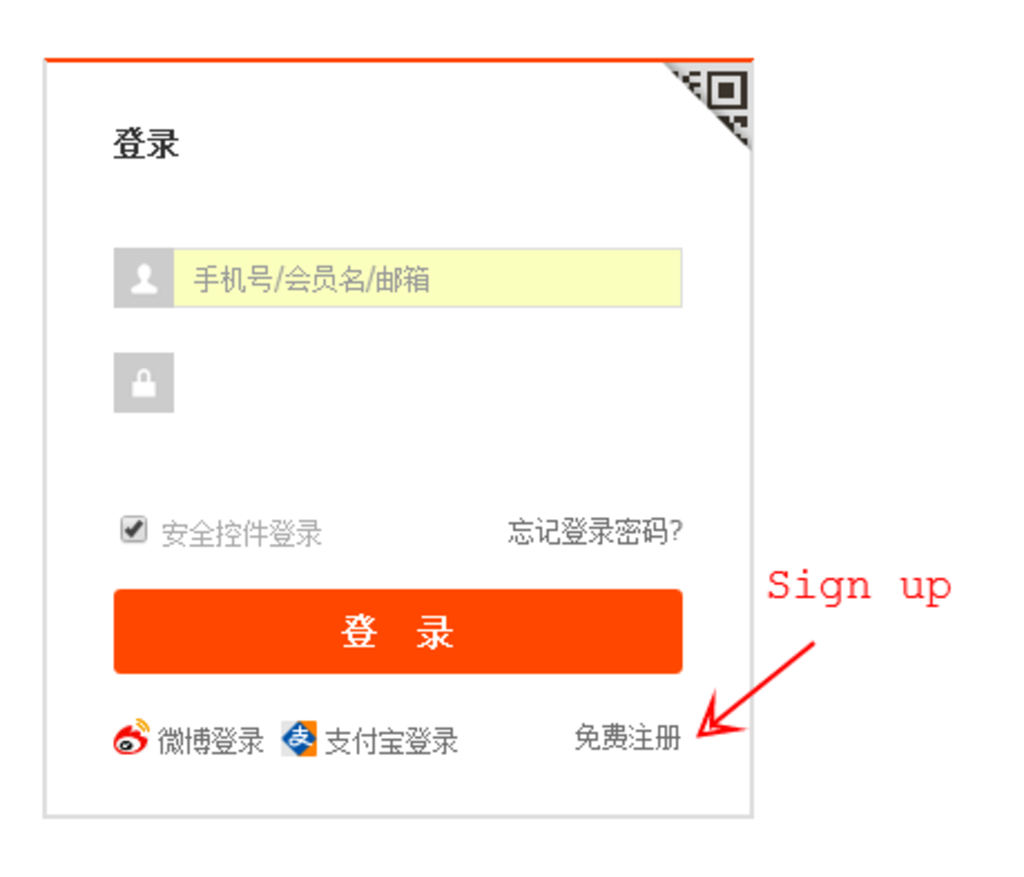
Navigate to login.taobao.com and click the button to sign up.
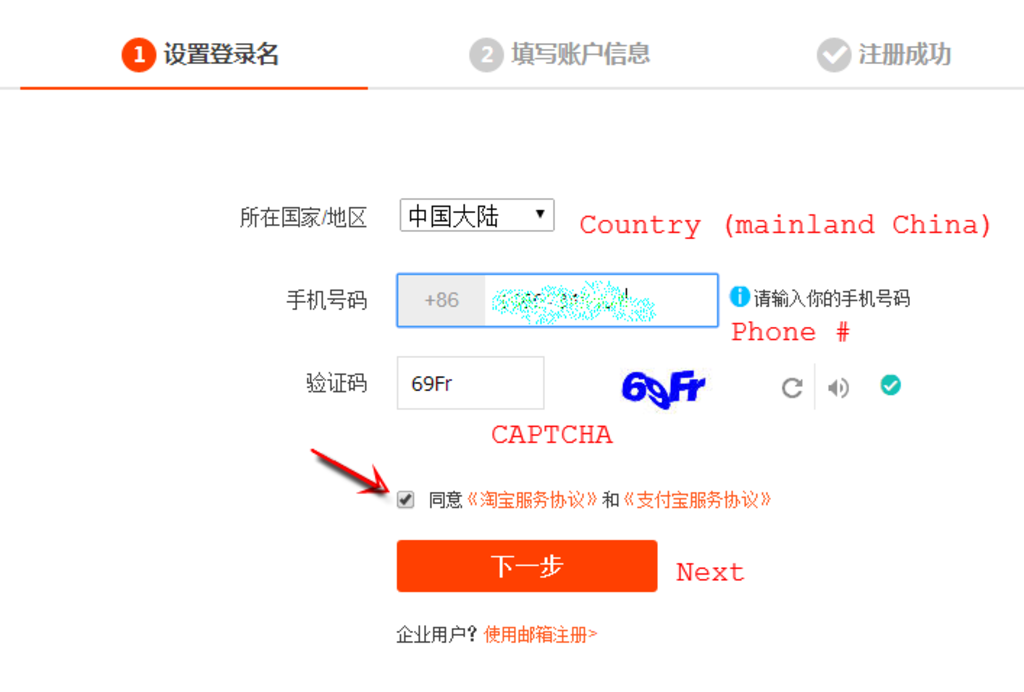
Leave the country as the default mainland China. Input your phone number, and click to unveil a CAPTCHA code. Type it in, make sure to check the terms of service box, and click on to the next step.
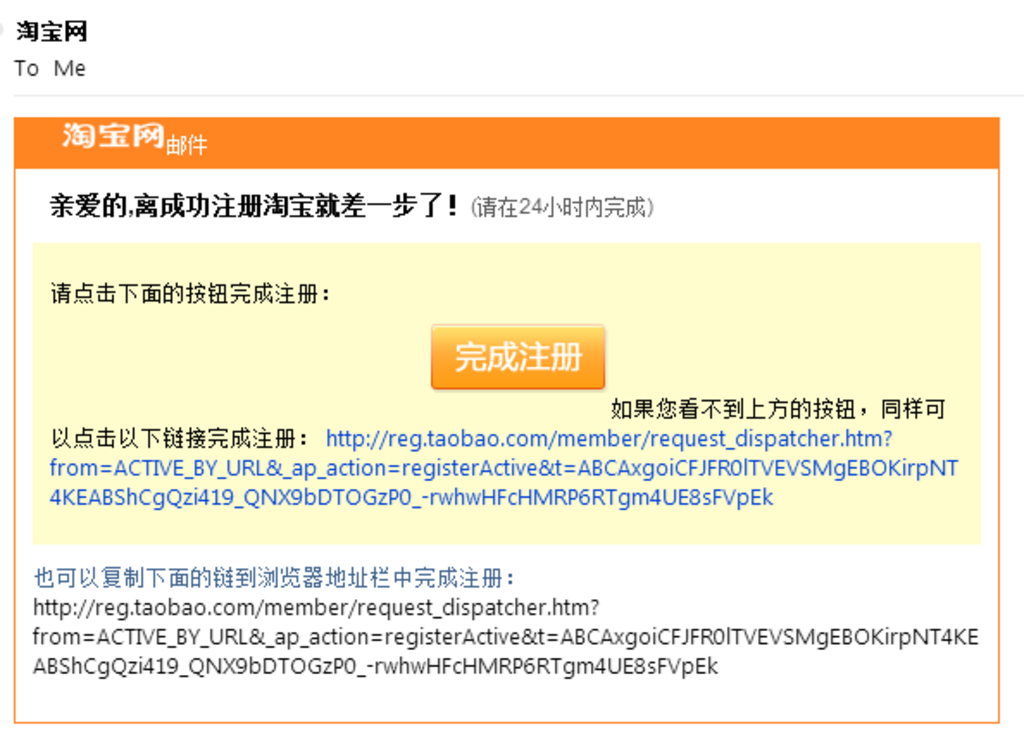
Check your email to see something that looks like this. Click the big orange button or the long verification link. This should automatically redirect you back to the next step on Taobao.
Congratulations! You’ve got a Taobao account (but not an Alipay account … more on that further down). Now it’s time to find stuff.
Shopping around
Head back to the main Taobao.com website, and type in whatever you’re looking for. In this example, I want to buy a hard drive for my computer. It’s best to look up the Chinese name for whatever you need (Nciku might be a better option for finding the exact phrase if Google Translate doesn’t work). English search terms might work, but Chinese will get you better results.
Check it out
Post-purchase





Stay updated on the go with our mobile app.
Get latest insights with smoother, more personalized experience through TIA mobile app.