Steven Millward · · 3 min read
ShareOn wants to make file transfers and file sharing less of a headache
Figuring out the cloud and home networking is, to the average person, a bit like reading an essay on the latest innovations in brain surgery. Many of our gadgets might be smart, but the people using them, myself included, are often baffled when it comes to getting those devices to talk to each other.
Even something that should be easy, like sharing our own photos between friends and their gadgets, can be confusing, leading people to resort to emailing stuff to someone who’s in the same room. A Korean startup is trying to make this easier with a free app called ShareOn.
“Sure, Airdrop works great between iPhones and Macs, but sharing files between iOS and Android has always been a hassle,” says Anton Eliasson, the Swedish PR guy at the Korean startup, called Spika, that makes ShareOn. ShareOn adds PCs into the mix, and a version for Mac OS X is in the works. There isn’t a dedicated app for smart TVs, but the app – available for iOS and Android – should detect any smart TVs in the room that use the DLNA protocol.
ShareOn zaps photos, videos, and music files between devices. It requires a free sign-up, but after that it’s fairly simple – and a lot easier than most home networking set-ups involving routers, bridges, and goodness knows what. “The files themselves are not uploaded to the server. How ShareOn works is that it creates a direct connection between the different devices,” explains Eliasson. “The only information that goes through our server is account, file size, name, etc., not the files themselves. This information is encrypted and is deleted after seven days.” (Updated: Corrected a detail about encryption.)
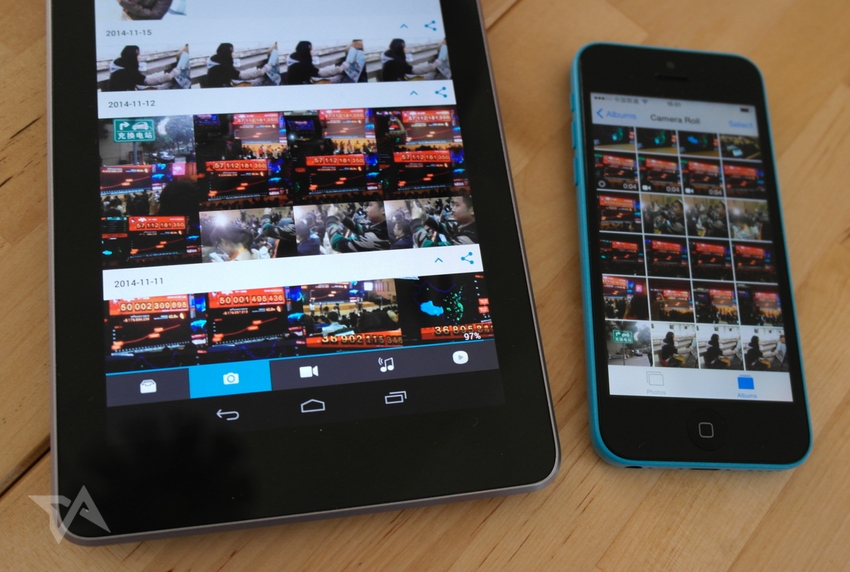
In my test using ShareOn on an iPhone and a Nexus 7, it was pretty straightforward to get, for example, all of my iPhone photos from the Camera Roll to show up on my Nexus 7 – and it only took a minute for all of them to show up on my tablet.
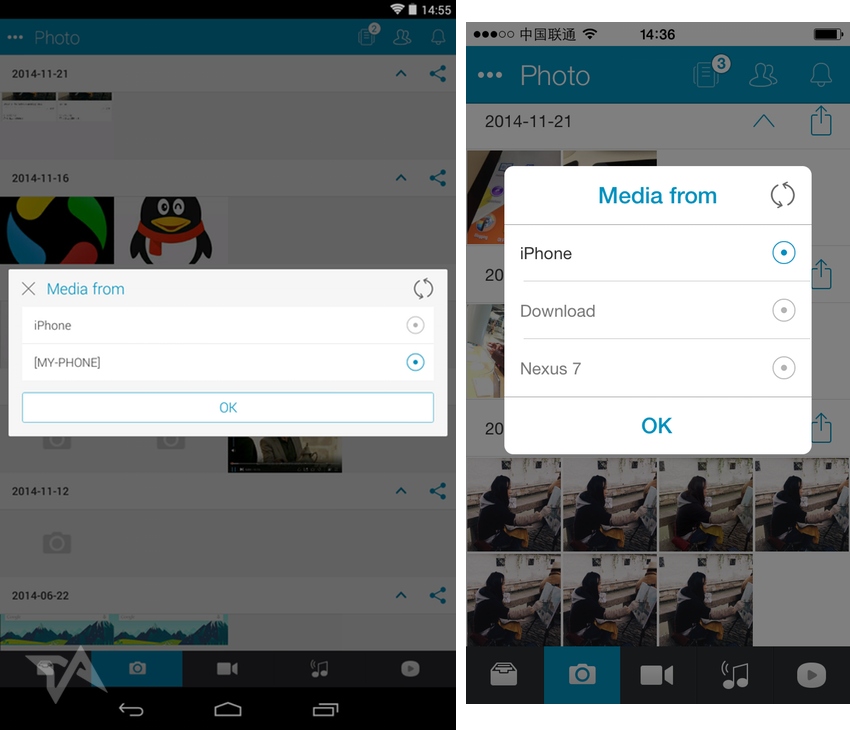
This is how your other device appears as an option in the app (note that I’m TV-less at the moment, so I couldn’t try it out with a smart TV):
If you want to do more than teleport files from one device to another, there are built-in options to send files via email, WhatsApp, Line.
Personal cloud
The startup teams calls all this a “personal cloud.” So long as you realize that it’s nothing like Dropbox (because it doesn’t involve uploading to somebody’s servers), then it’s easy to get the hang of. It means that, for example, your hulking and underused Windows PC, with its massive hard-drive, could be turned into a hub for all your photos, videos, and music, and you could use ShareOn to slingshot all that media around your home.
The closest rival for the affection of users is perhaps Send Anywhere, which also hails from South Korea, though the two apps work a bit differently. We looked into Send Anywhere in early May, and then a few days later it nabbed US$1 million in funding from investors including Rakuten.
See: Meet the world’s easiest-to-fly drone. Now it needs people to fly it.
Eliasson says that the Spkia/ShareOn crew is weighing up how to monetize this file sharing app and it might involve “a premium version when the service is more mature.” It’s also looking into an enterprise version that applies the same tech to the workplace.










📅 Upcoming Events
30-31 March 2027
Upskill Fest