Enricko Lukman · · 5 min read
Smartfren Andromax-U Review: Affordable and Dependable, But Very Laggy

Credit: Gizmoup
I have been using my first Android phone, the Smartfren Andromax-U, for a few months now and would like to share my thoughts about the phone. Having bought one shortly after it launched in February, my experience of dealing with Smartfren through the service center and then seeing the launch of the revamped Andromax line-up soon after could serve up some useful points for future Andromax buyers.
For your reference, the phone that I’m reviewing is the Indonesian telco’s Andromax-U with a dual-core processor, not the revamped Andromax-U Limited with a quadcore processor.
Despite the issues you’ll hear about later, let me start off by saying that I still think that the Andromax-U still looks like a great phone in its price range – just IDR 1.6 million ($160) 1. You can go through its specs here. I soon found out that the phone shoots really mediocre pictures even though it has a supposedly 8-megapixel rear camera. That fact can help set the tone for the phone’s overall performance: good for that price range, but don’t expect the world from it.
Laggy at first
Credit:Chip
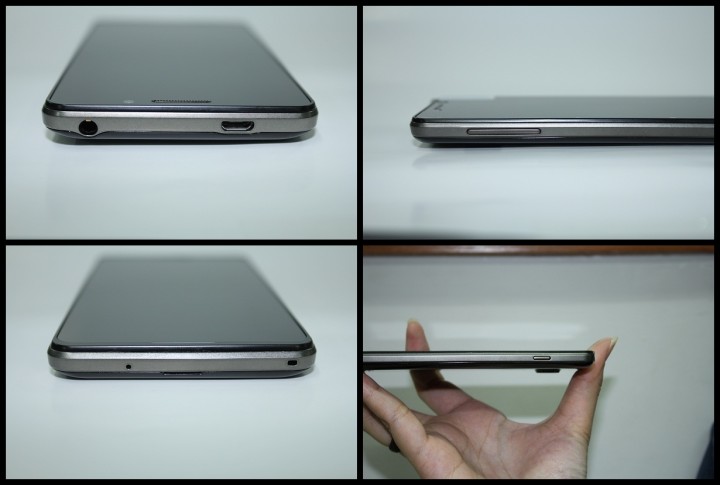
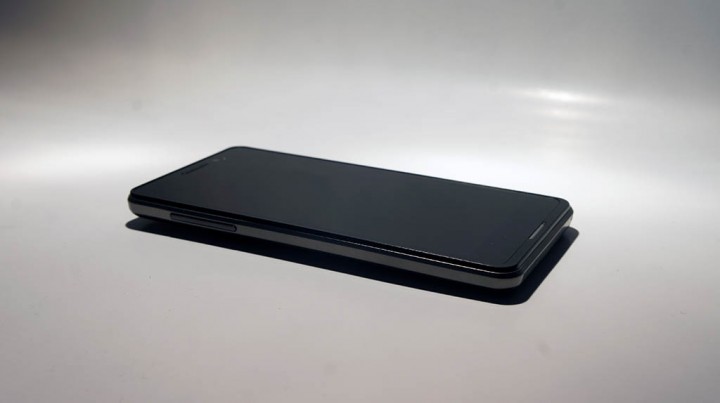
Being quite affordable, the Andromax-U’s phone’s body is made mostly of plastic. The power button is located on the top right of the phone, which some might find not very ergonomic if you’re looking to use the phone with one hand. The earphones given alongside the phone are comfortable to be used. Overall, it has a nice appearance.
Performance wise, I’d say that the phone, which runs Android 4.0 (and now 4.1), is very decent with no issues when swiping and using other touch gestures. But you will find that the OS doesn’t have an overall smooth feeling even if you have just one or two apps in the background. Yes, it’s a bit laggy.
But I am happy that Smartfren kept its promise and rolled out the Jelly Bean OS update for the handset. I feel that the performance using the new OS is much better.
Smartfren exclusives
The phone comes with a Smartfren widget that helps track your Smartfren CDMA credit. The widget doesn’t look that appealing aesthetically though, but it gets the job done. There’s also a Smartfren Store that routinely promotes a few paid apps that can be bought with phone credit, as well as quite a few pre-installed apps that I never used but can’t get rid off.
You are not be able to use 3G connection from your GSM card, so you’ll need to use Smartfren’s 3G CDMA card. I have found no problem with its speed, and the signal reception is quite good too across the capital. Smartfren suffered an internet outage that rocked the nation a while back, and I hope that wouldn’t repeat itself again soon.
Say no to huge games!
I love playing games on my phone. A few of my favorite ones are Battle Cats, Candy Crush, Temple Run 2, and Subway Surf. I have some lag problems playing the former two games, but when it comes to the latter two, you can expect to hit even more disturbing lags here and there. Note that Temple Run 2 plays smoothly at first, but as you pick up your speed in the game, it gets harder as the phone gets choppy too.
It’s become a habit for me to close all my background apps before playing games. Also, the phone doesn’t have a button that lets you close all hidden apps easily, so you need to close them one by one which can make the experience a bit tiring.
More downsides
No update for current users





Stay updated on the go with our mobile app.
Get latest insights with smoother, more personalized experience through TIA mobile app.