It’s rare when Razer doesn’t produce a functional work of art, and this gamepad we’ve been cradling, the Razer Orbweaver, is no exception. Big on form and function, it’s got a keypad with 20 fully programmable buttons, three side buttons, and an adjustable wrist rest.
The mechanical buttons on the keypad are smooth and have a matte coating, while the side ones are plain black plastic. The wrist rest is coated in rubber — great for people with sweaty palms, bad for those with dusty rooms. The Orbweaver is designed for a single user and can be adjusted to fit most palms.
The Orbweaver’s primary function is to serve as a dedicated collection of useful, fully programmable buttons for the hardcore gamer. Every button on the Orbweaver has a default keybind that can be reprogrammed via the Razer Synapse, a nifty cloud program that lets you store settings for your Razer devices. You can bind a simple combination of keys (ctrl + a, anyone?) or record a complicated macro.
As a Razer device, it has naturally been made for the gamer. But is it really suitable for all games, and all gamers?
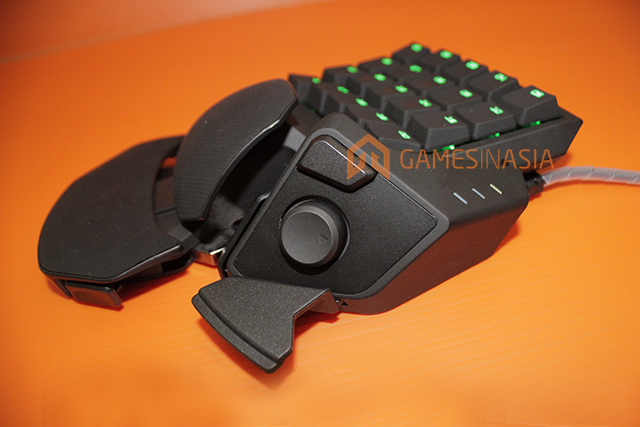
The Orbweaver in games
Because the Orbweaver can be literally programmed to do anything, you can also use it for practically all games, albeit depending on your play style and personal preferences. I could see the Orbweaver becoming a staple in a macro- and button-heavy game like World of Warcraft, but its ergonomics were a little more difficult to fit in when it comes to something like CounterStrike: Global Offensive or Borderlands.
The primary keypad on the Orbweaver only features square buttons. I wish it could have added physical cues to let you know which button your fingers are on, though. That’s not a problem in an MMORPG since those games move slower, but having to glance at your keypad while in an FPS game could get you killed. The lack of an elongated ‘shift’ key also made it tough to figure out by feel alone where my fingers were.
I initially liked that the Orbweaver made it easy to group all my useful buttons together, but soon felt that for certain games, the buttons available were just not enough. While there are twenty buttons, it’s rare for me to tuck my fingers in closer to my palm in order to reach the buttons lower on the Orbweaver’s keypad.
Those buttons were within reach when I did try, but the peripheral’s form does take some getting used to because of the way the keypad is built. Also, an important point to note: users from Razer’s main target market, a.k.a. gamers, a.k.a. men, will find their hands practically molding to the Orbweaver, but for ladies like myself, the keypad can end up just being a tad too big. Even at its tightest settings, the wrist rest still felt a little too large for my hand.
Do note that those of you used to the sprawl of a full keyboard will need some time to adjust to the smaller real estate the Orbweaver gives you — but it won’t be long before you appreciate its button economics.
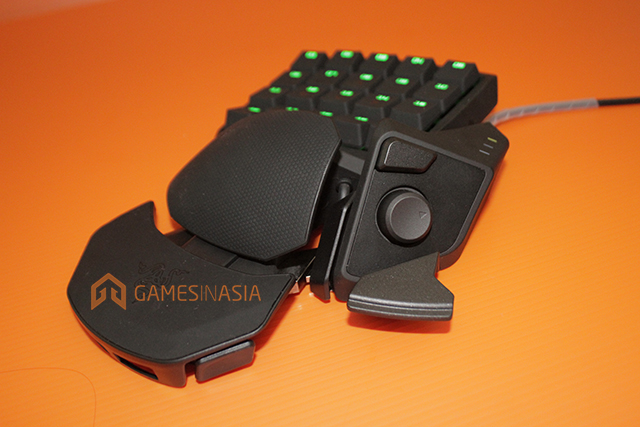
The Orbweaver outside of games





Stay updated on the go with our mobile app.
Get latest insights with smoother, more personalized experience through TIA mobile app.