Terence Lee · · 2 min read
Sent a file to the wrong person? This Gmail extension undoes the damage.
What’s seen cannot be unseen. That’s especially true for file attachments on Gmail. Yes, there’s an “undo” button for sent emails, but it has a 30-second time limit.
But what if you can block files from being viewed long after they’re sent? A new Gmail extension called Digify lets you do that, and more.
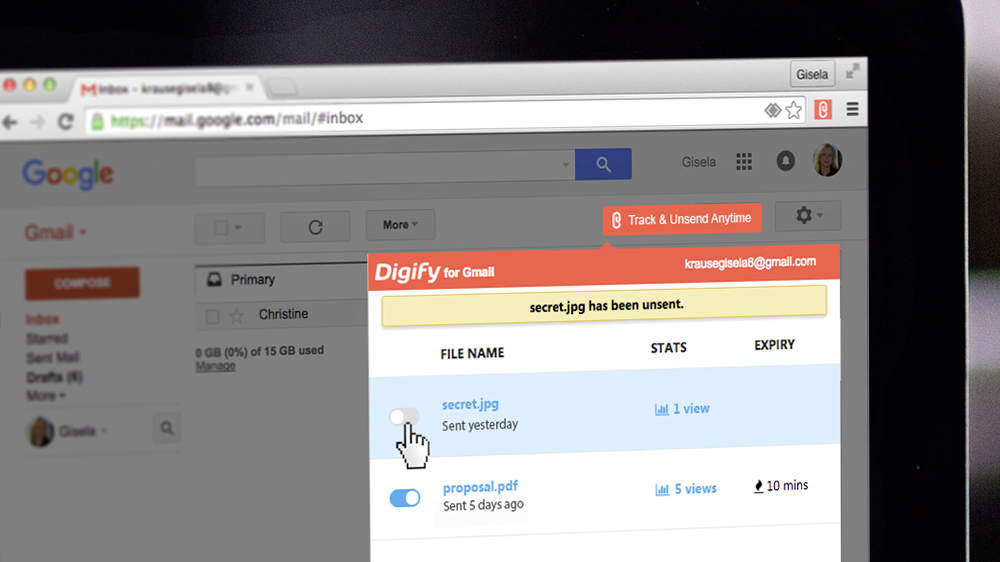
You can also track if the file has been opened, limit who gets to view the file, encrypt it, prevent people from printing or downloading it, and even make a file self-destruct in a manner similar to Snapchat.
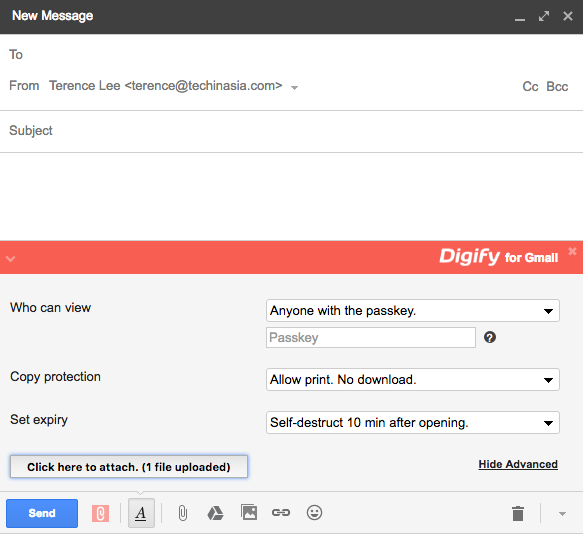
The tool also has “adaptive watermarking,” which is a feature aimed at discouraging people from taking screenshots.
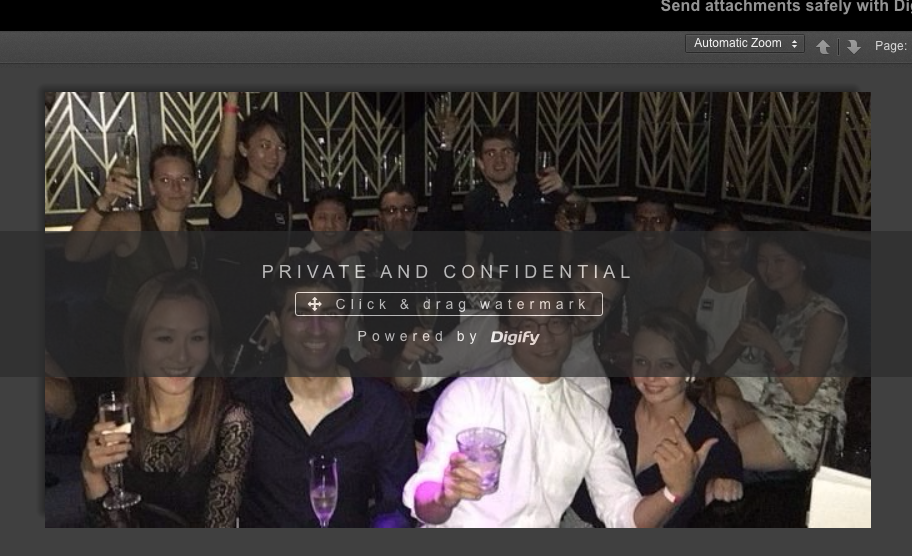
Here’s a video of Digify at work:
After taking Digify’s Gmail extension for a spin, I found it user-friendly. Attaching a file to an email isn’t more difficult compared to doing the default option. The interface is self-explanatory.
Digify’s biggest challenge though could come from Google itself. A lot of its features, such as access control as well as print and download prevention, are already available on Google Drive.
I was also not convinced about adaptive watermarking, specifically how you can drag the watermark to the bottom and do a partial screen capture of the document.





Stay updated on the go with our mobile app.
Get latest insights with smoother, more personalized experience through TIA mobile app.