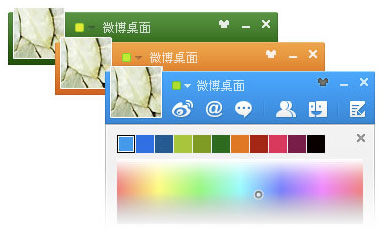
 China’s Sina Weibo seems to be advancing rapidly in all directions. And today the popular microblog made another important step ahead as it launched a Weibo client for PC users, serving a large proportion of its users. (Note that there is a relatively low number of Mac users in China.)
At first glance, Sina Weibo’s PC desktop client looks lightweight, clean, and easy to use. The top bar, neatly lists out options for user to catch their friends’ Weibo updates, read @mentions from friends and follow conversations. The new Weibo PC application looks pretty much like a Instant Messaging (IM) Chat service but it still maintains the essence of a microblog. Interestingly there is one icon which Sina has put in place but hasn’t yet rolled out. A mysterious snippet of Chinese copy reads: “Still under secret development” on mouse-over.
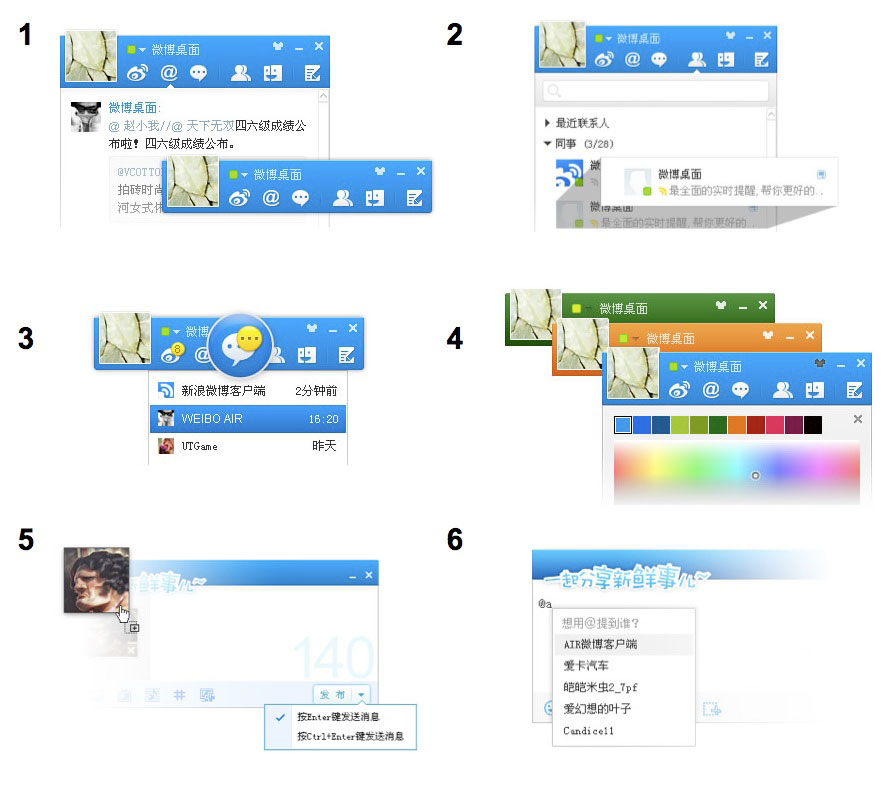
The Sina Weibo desktop client also added several convenient features. For example, if you type “@y,” a list of names will appear to help you recall and select the right weibo user quickly, similar to what it has on the Weibo website. The experience when viewing pictures and videos remains just as awesome as on site. A simple click on the picture will quickly enlarge the image neatly on the side, like this:
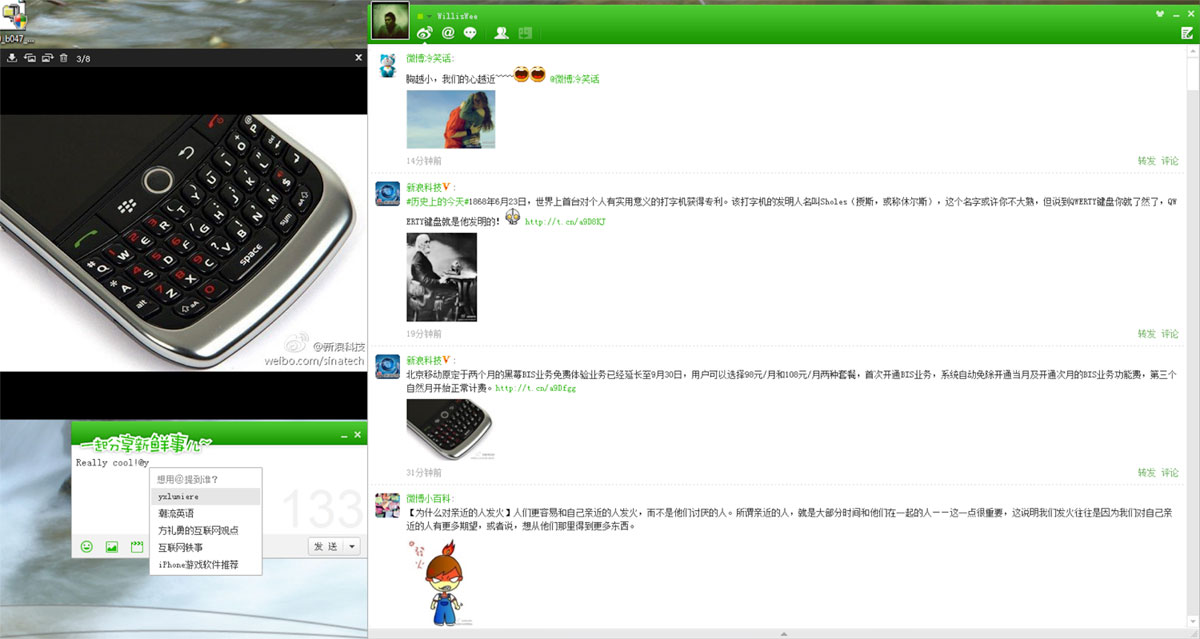
Other features include changing the color scheme of your application, and also a quick escape from the client when swiping the mouse cursor to the side screen, a much-needed function for folks using Weibo secretly in the office. Sina Weibo’s convenient message/Weibo box remains in the desktop client where users can easily share videos and pictures.
The key delivery isn’t about adding more functions. Instead the client was introduced to help PC Weibo users to enjoy a better and smoother microblogging experience.
Here’s a quick recap of features:
- Multi functions, lightweight, and fast
- IM chat with your closest friends on Sina Weibo via the client
- Reminder for weibo conversations with time tracking
- Customizable skin color
- Drag-and-drop media content sharing via the client
- Convenient @mention drop-down name list





Stay updated on the go with our mobile app.
Get latest insights with smoother, more personalized experience through TIA mobile app.










📅 Upcoming Events
22 October 2026
Payoneer x CSPN Summit 2026