
For language students, the smartphone revolution has brought many tools to help with your study. I’m a big fan of SRSs which help you ‘bury’ the things you already know, in favor of studying the things that you haven’t mastered yet.
For Chinese language study, one solution that might be of use to iPhone users is the flashcard app Chinese Flash, from independent Tokyo developer Long Weekend. It costs $4.99, but it’s a decent place to manage the vocabulary you need to study. And while this particular app is not new, it just got a bit of a boost with the new Rikai Chinese web browser for iPhone or iPad [1].
When you’re reading Chinese text using this browser, you can highlight any word you want, and you’ll now see an option to check the meaning in Rikai. This makes the browser a pretty useful place to brush up on your reading skills, as any unknown words can be checked pretty quickly in the same window.
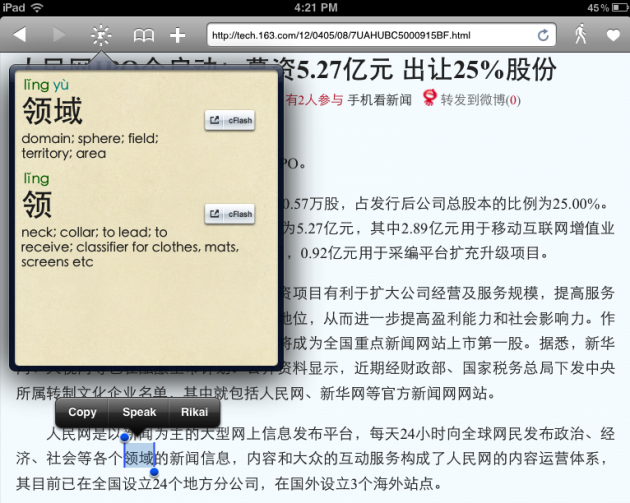
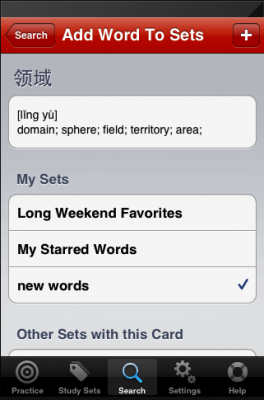
You also have an option to then add that word to your Chinese Flash flashcard deck (see ‘cFlash’ button in the picture above), which is very useful [2]. You can then come back to it at a later date, and work it into your regular flashcard study.
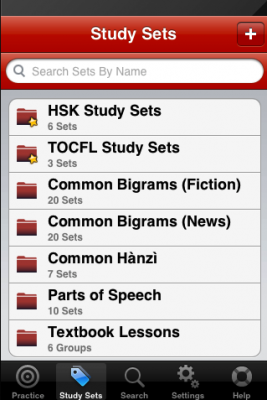
For any students who are preparing for the HSK, there are a number of vocabulary decks included in the app. In addition, it also lets you add multiple users, which is good for myself and my wife who will probably both use this.
|
|
|
The app also has Japanese equivalents, since there’s a Japanese Flash and a Rikai Browser for Japanese as well.





Stay updated on the go with our mobile app.
Get latest insights with smoother, more personalized experience through TIA mobile app.













📅 Upcoming Events
22 October 2026
Payoneer x CSPN Summit 2026