 Steven Millward · · 4 min read
Hands on with Weishi Video Chat, Tencent’s Answer to FaceTime [REVIEW]
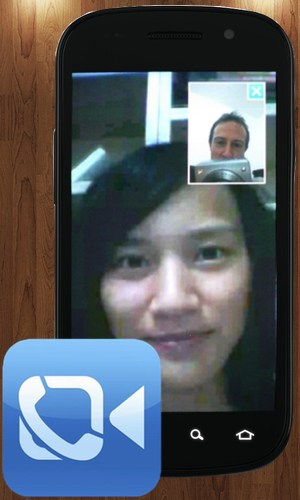 Tencent has launched a rival to Apple’s FaceTime – a fully-featured mobile and tablet oriented video calling platform called Weishi.
Now in private beta stage testing, with apps all ready for iPhone, and Android phones and tablets – with an iPad variant in the works – Penn Olson got a chance to go hands on with the app. We used two Nexus S phones that have front-facing cameras to give this a proper test and get some impressions on it.
Note that Tencent’s Weishi – once someone has an invite to get in – requires only registering your phone number to use it, unlike FaceTime on iPhone which does its magic via email connections. Thus Weishi works only in China – for the time being, at least.
Face up, hands on
So, once you’ve installed the app and registered your China number to use it – with a confirmation SMS – you’re inside Weishi, and presented with your own list of contacts. If any of your friends have also signed up their number for the service, then a little video camera icon will appear beside their name. With one click of that icon, you’re video-calling with that friend, whose phone will ring with the standard ringtone.
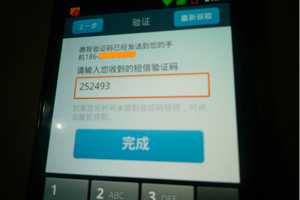
Registering your phone number to tie it to the Weishi app.

Options to SMS, mail, or video call any other user of the Weishi app.
When your call is coming through, your friend’s front-facing camera whirrs into life, and your name appears at the top of their screen. The fact that the camera has turned on will, of course, alert your friend to the fact that this isn’t a conventional phonecall. Calling works over 2G (GPRS), 3G, and wifi; the app doesn’t need to be open or ‘on’ for this to work, though I notice it is always running in the background in Android.
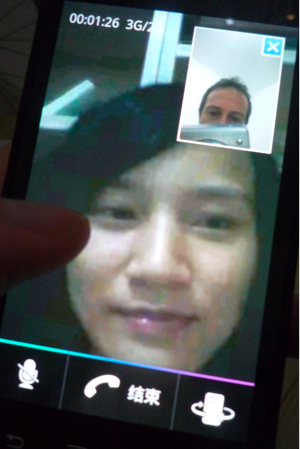
When your friend picks up the call, they’ll see a two-pane view on screen, with the option to close you own image so as to see your caller totally fullscreen. In tests last night I found the video quality better than that on Skype by quite some margin.
During a video call, touching the screen brings up a semi-transparent tray (pictured bottom) that allows you to mute, hang-up, or – best of all – switch cameras so as to use your phone’s more powerful rearward camera, for much better image quality. Using Weishi on two Nexus S phones, it worked flawlessly and without any compatibility issues, though I can’t verify if this’ll be so easy on older smartphones without a front-facing camera.





Stay updated on the go with our mobile app.
Get latest insights with smoother, more personalized experience through TIA mobile app.








📅 Upcoming Events
22 October 2026
Payoneer x CSPN Summit 2026