- Insights This article was written by a TIA community member. Insights pieces undergo the same rigorous editorial process that newsroom-produced articles have.
 YoungHwi Cho · · 12 min read
How I designed our mobile app even though I’m not a designer

Photo credit: Pexels.
As I mentioned in my previous post, I’m working in a small startup with only two members. One is a full stack developer who is in charge of product development from server side to front-end. I, on the other hand, specialize in product management. Throughout my career, I’ve focused on product planning, strategy, roadmapping, and customer pipelines. But now, I have been creating product/interface/user experience design.
Of course, the best option is to hire a UX/UI designer or invite the person as a co-founder. But in reality, this is not always possible for a startup. And if you don’t take the role right away, your developer may think that he or she is responsible for the whole product from server side, front-end, iOS, Android, to even the website. So, I took on the role of a temporary designer for a start.

Your developer may think like this.
In this article, I’m going to share my tips on taking on a designer’s role as a person who does not have any background in design. All examples will be related to mobile app design. Again, these tips show you ways on how to temporarily take charge of design and not on how to become an actual designer.
To follow my tips, you need to be:
- Familiar with wireframe and overall user interface structures/flows
- Have a Macbook
- Have money to purchase software
Step 1: Together with your developer, draw the main app screens. Don’t prepare any wireframe or PowerPoint stacks yet.
I’ve seen many product managers (PM) who draw kick-ass and cool-looking product descriptions and wireframes by using PowerPoint (or more modern tools like Invision and Framer nowadays). I’m not saying that these are wrong, but if there are only two members in your company, you will need to take three roles: design, product management, and marketing. In this case, drawing the cool-looking wireframes is a waste of time and resources.
I think the well-structured wireframe stacks are only necessary when there are enough members in a team, so that you can deliver accurate information to all members equally, or when you need to gain confirmation to proceed from higher managers or executive members.
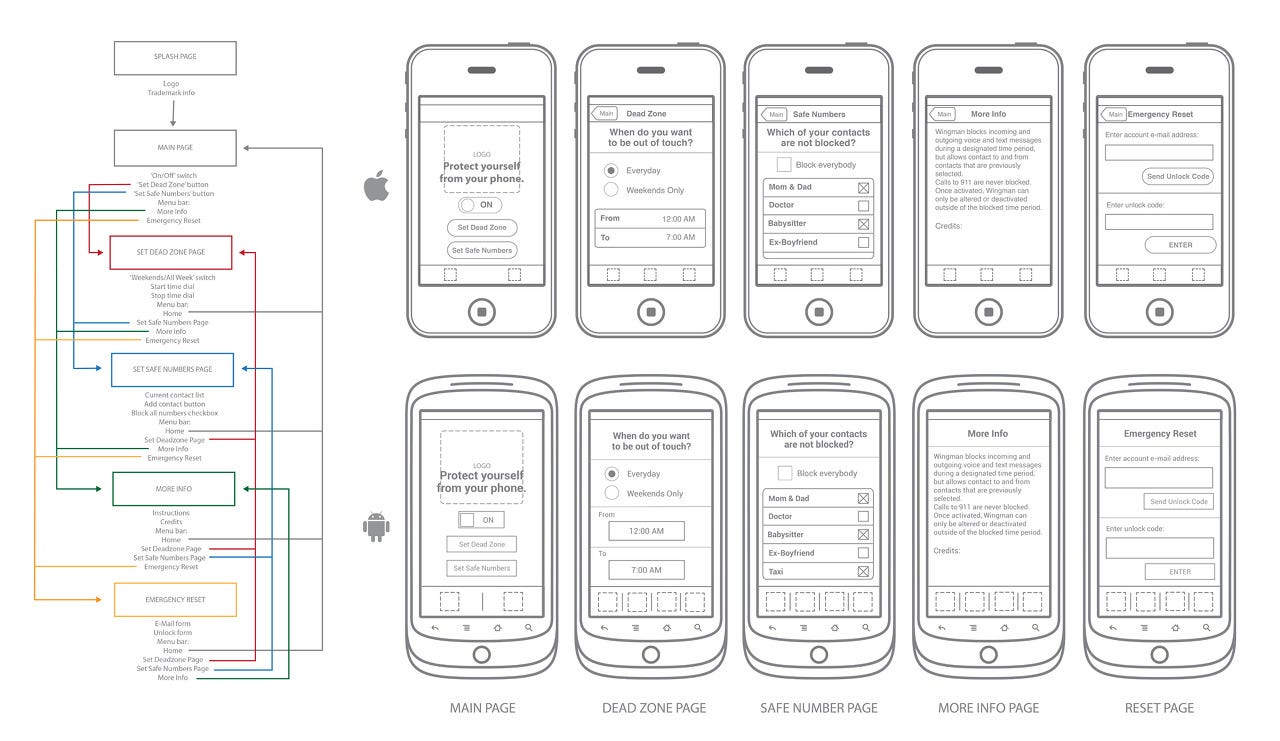
If you’re part of a small team, you won’t need a cool-looking wireframe chart like this. Photo credit: Andrew Brennan’s website.
So, the best way for you to deliver your app idea to your developer as a temporary designer is to sit down together, write down the user’s main tasks, and draw very brief app screenshots together with your developer.
Step 2: Benchmark color uses and app concepts from design archives
Step 3: Use Sketch 3 program on your Mac
Step 4: Define your main and sub-color theme
Step 5: Know the work you must do as a designer
Step 6: Create the app logo in a simple but distinctive style
Step 7: Use a UI kit to start your design work
Step 8: Deliver the design files to your developer





Stay updated on the go with our mobile app.
Get latest insights with smoother, more personalized experience through TIA mobile app.








📅 Upcoming Events
22 October 2026
Payoneer x CSPN Summit 2026