 Julia Carol Esguerra · · 5 min read
7 must-have Chrome extensions to boost your productivity
Your browser might as well be a Swiss knife due to the untapped functionality and resources that come with it. And as Google Chrome is one of the most popular browsers at present, I will let you in on some of the most useful Chrome Extensions that can help boost your productivity.
Chrome extensions are browser add-ons that can help streamline your online duties and help you get more work done when put to good use. So while you’re researching an article on one page, you can save time and increase productivity by using the extra functions that come with your browser. Chrome extensions can get interesting to essential with savvy use. These are 7 of the best Chrome Extensions that you should not miss out on.
1. StayFocusd
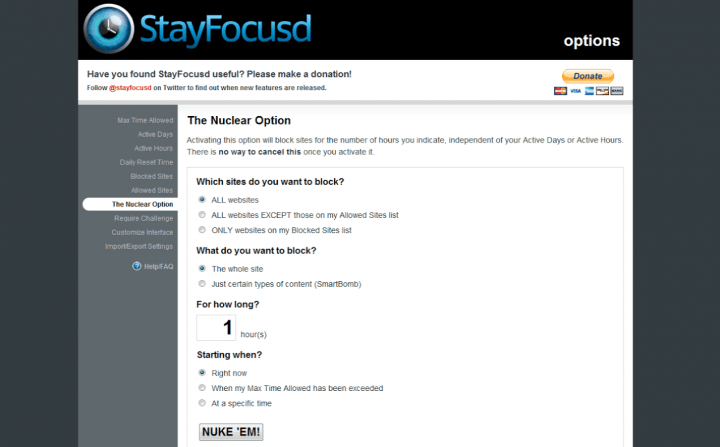
Photo credit: StayFocusd
This extension is a crowd favorite and has garnered 4.5 stars by 572,000 users and counting.
Why? Well, the internet, although a great tool, has also given us a headache from to all those times we get sidetracked by favorite Social Networking sites like Facebook, YouTube, 9gag and Twitter. StayFocusd keeps one disciplined by setting a determined amount of time on these types of sites, and enabling those prone to distraction to actually get some work done.
Simply configure your account to block specific sites or even specific page content like videos and games, and you’re good to go. Once your time limit is up, StayFocusd blocks your access to these time-wasting sites for the whole day.
2. Pocket

Photo credit: Pocket
I always find myself distracted with interesting articles that I chance upon, and it gets to the point that at the end of the day, I’ve read more articles than getting work done. Installing the Pocket extension resolves this problem because once you open that interesting article, you can just click on the pocket in your toolbar, categorize by selecting a proper tag and build up your reading list. You can enjoy them for later as a reward for a job well done.
This chrome extension has an upgraded version which can store copies of the articles in case the links die. Thus making it more than just a reading list but also a research database for future use.
3. Ginger
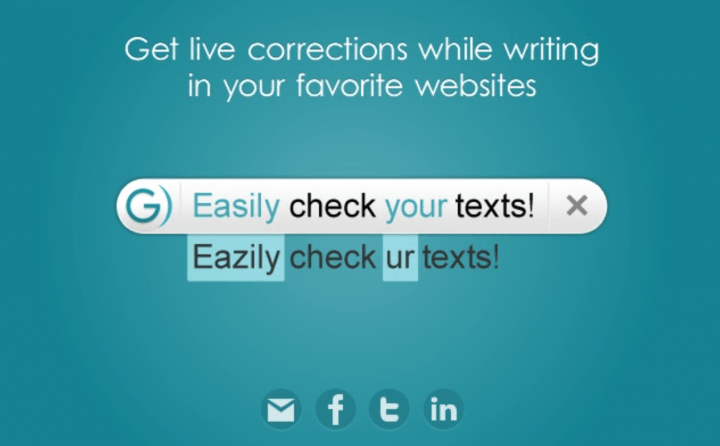
Photo credit: Ginger
Yes, we’ve seen how spell check can be very useful, but this particular extension does more than the usual sentence structure, grammar discrepancy and spell check.
Aside from those featured above, Ginger also gives us rephrase suggestions that are in line with your intended message, translations between 40 different languages and also gives quick access to synonyms and definitions of your selected words, minimizing mistakes made especially after spending the whole day at your computer.
4. AdBlock
5. QuickDrop
6. OneTab
7. DayBoard





Stay updated on the go with our mobile app.
Get latest insights with smoother, more personalized experience through TIA mobile app.









📅 Upcoming Events
22 October 2026
Payoneer x CSPN Summit 2026