- Insights This article was written by a TIA community member. Insights pieces undergo the same rigorous editorial process that newsroom-produced articles have.
 Vaibhav Verma · · 6 min read
This 50-time chatbot designer shares the basics of creating engaging chatbots
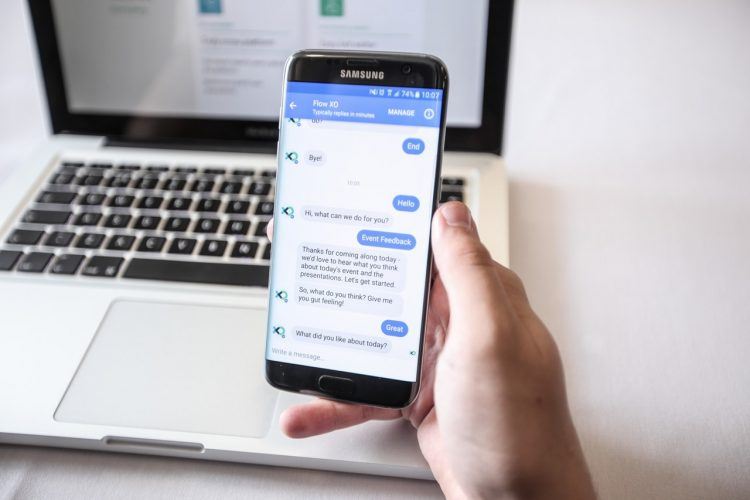
Photo credit: John Jackson
Haptik has been working on chatbots for over four years now. I joined the company as a UX designer halfway through the journey. Coming from a traditional background of designing interfaces on web/mobile apps, I absolutely had no idea what designing for chatbots meant. It seemed like an interesting challenge to build something for a completely new interface using the core first principles of product design.
Fast forward to today, I have now designed more than 50 chatbots across various domains and use cases. It’s been a thrilling ride so far, so I’d love to share some lessons that may help you build a great chatbot.
How I define a chatbot
For me, a chatbot is an interface that gets a task done via text- or voice-based conversation between the user and a robot (sometimes aided by a human). It’s simply not a machine masquerading as an individual; it’s a new interface after the GUI (some circles call it CUI or conversational user interface).
Through machine learning algorithms, chatbots can learn appropriate answers to specific queries over time, for which they no longer require training.
But the actual impact of this technology can happen only if the user understands what the chatbot says and likes it. Well-designed chatbots are always use case-driven and have a personality.
Why is personality so important for a chatbot?

Photo credit: Better Cloud
Remember this guy? This is a great example of “how to learn boring MS Word techniques in a fun way.” That’s how personality plays a role in engaging users. It is usually curiosity that makes users want to know what the bot says next.
Before we go into how you can create an engaging chatbot, let us first quickly look at the basic steps of chatbot design.
10 basic steps to designing a chatbot
Step 1
Consider use cases where chat works best to solve a user query. Start building your product around those use cases.
Step 2
Giving your chatbot an engaging personality
Conclusion





Stay updated on the go with our mobile app.
Get latest insights with smoother, more personalized experience through TIA mobile app.