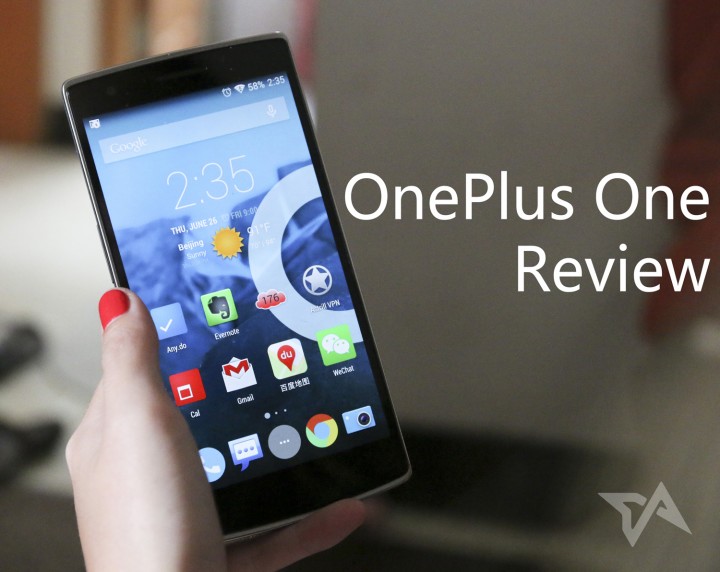
When the OnePlus One first debuted and I got my hands on an early demo version, I called the phone a Xiaomi killer.
I’ve never been much of an early adopter, but I decided to go out on a limb and buy one. So did my first impressions of the OnePlus One hold up? Yes.
The One is OnePlus’ first ever smartphone and it’s aimed squarely at the same demographic as the Xiaomi Mi3 in China and the Nexus 5 around the world. I got the 64GB international version, currently available via invite only. It sports a 1080p HD 5.5-inch display, Snapdragon quad-core processor, CyanogenMod OS, 13MP back camera, and a 3100mAh battery. My version usually costs US$350, but I had to pay a bit extra to get it here in mainland China. The 16GB international model normally costs a very modest US$299.
A custom job, inside and out

OnePlus’ claim that their build quality is surpassed only by Apple would probably hold up in court. The phone feels excellent, with a gently curved back cover that can be swapped to your heart’s content – bamboo, kevlar, denim, etc. Mine came with sandstone black, which I thoroughly enjoy rubbing on my cheek when no one is looking. It’s easy to pick up off a table, and I’ve yet to drop it.
For those wary of stepping beyond the bounds of Google’s purist Android and into CyanogenMod, fear not. I’ve had zero compatibility issues with any of my apps, and I can honestly say that anyone who’s used newer versions of stock Android will feel right at home. Best of all, you get a bajillion customization tweaks at your disposal, and CyanogenMod tends to be a bit more quick and agile with updates and bug fixes than Android purveyors like Samsung and HTC with their non-stock OS skins. As a bonus, it’s bloatware-free.
It’s easy to get lost in the number of sub-menus in the settings section. For instance, I can set the color of the notification light on the front of the phone to flash specific colors for different apps. Double tapping the screen wakes the phone. I had some trouble taking screenshots with the default button combo, so I added the function to a menu that appears when I hold down the power button. These just scratch the surface of the depth to which you can tailor Cyanogen, or you can forego it all and just leave it as is.

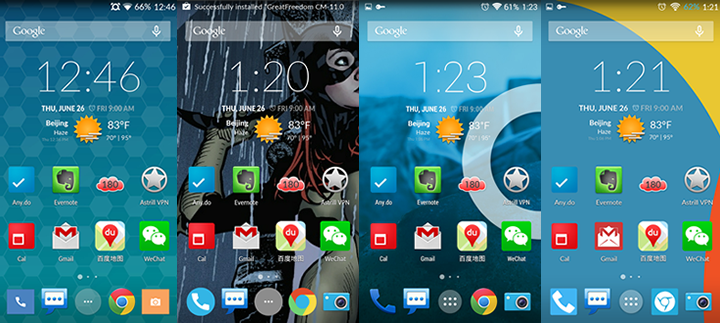
A wide array of themes are also available to peruse, both paid and free, and you can mix and match elements like wallpapers, app icons, notification icons, fonts, and more.
See: 15 new Asian smartphone makers hoping to crush Samsung and Apple
Camera, display, and storage
15 minutes of fame?





Stay updated on the go with our mobile app.
Get latest insights with smoother, more personalized experience through TIA mobile app.