Mary-Anne Lee · · 4 min read
Razer Blackwidow Ultimate review: new switches, same old keyboard
Razer recently announced brand new mechanical switches for its Blackwidow Ultimate keyboard series. There were green (“clicky,” as per the Razer site) and orange (“silent”) switches for both the standard Blackwidow Ultimate and the Blackwidow Ultimate Stealth keyboards.
These switches were touted as the world’s first mechanical keyboard switches designed for gaming. They were also endorsed by League of Legends player Yiliang ‘Doublelift’ Peng from Counter Logic Gaming. As with all things Razer, they seemed pretty cool, so we had to try the new keyboard for ourselves.
(See: Razer Deathstalker Ultimate review: sleek and deadly like its namesake)
Overview
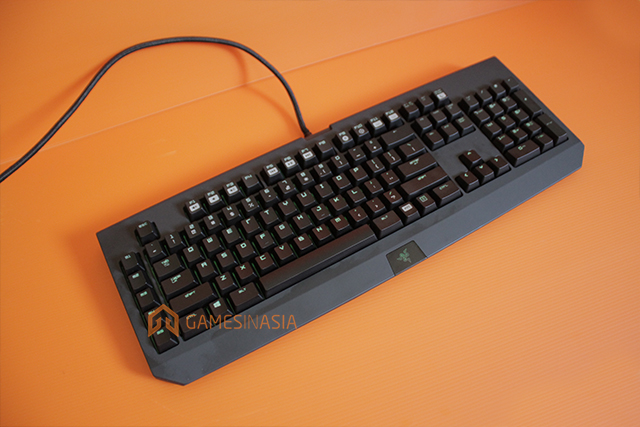
The Razer Blackwidow Ultimate is Razer’s mechanical keyboard, and comes in two forms: clicky and silent. It’s pretty hefty for a keyboard, weighing in at about 1.5 kilograms, but there’s a good reason for its weight.
Apart from its mechanical switches, the Blackwidow Ultimate also has one USB port and an audio-in and a mic-out jack built into its side. Every single key, including an additional row of five programmable buttons, is backlit. As a result of that, the Blackwidow Ultimate can’t simply be powered by a single USB jack. It has two USB outputs on top of its external audio-in and mic-out ones.
Although it’s a power-hungry thing, the Blackwidow Ultimate is pretty useful. It can detect up to ten key presses at the same time, has a row of programmable macro buttons, and is fully-compatible with Razer Synapse.
Within the Razer Synapse software console, you can adjust the brightness of your keys’ backlight (please do or you’ll go blind with the default brightness), save game settings on the cloud, and fire up the program’s gaming mode, which disables shortcuts like the windows key and alt + f4.
(See: Razer Orbweaver review: subjectively useful)
Performance

Keyboards are, in my opinion, very subjective things. I personally prefer membrane keyboards, and find mechanical keyboards a bit too harsh on my delicate, old-person fingers.










📅 Upcoming Events
30-31 March 2027
Upskill Fest