Lukas Thoms · · 7 min read
I tried shopping with bots on Facebook Messenger. It didn’t go well.

Facebook recently unveiled what — if you’re in the tech world — everyone has been talking about non-stop for the last two months: Bots for Messenger. For the uninitiated, bots are simple: machines you can send messages to that can understand your message, and reply to it.
If you’re my age, you may remember SmarterChild, the AIM bot from the early 2000’s to whom you could ask for movie times, the current weather, or simply have silly conversation.
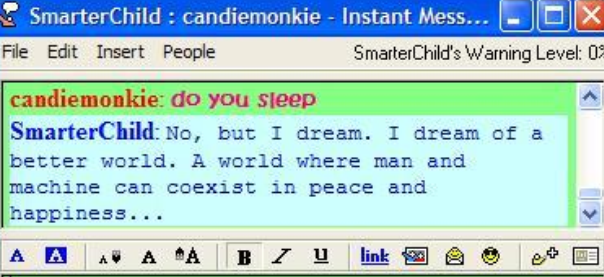
A typical conversation with SmarterChild in 2002.
As a founder of a mobile commerce company, I’ve been exposed to another level of this conversation, the concept of “conversational commerce”. Conversational commerce is the result of a shopping bot that, at its theoretical zenith, would understand who you are, what you like, and take any simple query (“I need some new shoes.”) and return exactly the products you’re looking for, ready for instantaneous purchase.
The reality is much less ideal, but Facebook is so jazzed about this idea that two of the four bots they highlighted during the launch were dedicated to buying things: 1–800-Flowers, and the shopping app Spring. (Spring, if you’re not familiar, is a well-hyped startup that has raised over $30 million to focus on mobile commerce.)

A slide from Facebook’s F8 keynote address, introducing the Spring shopping bot.
Facebook’s demo of Spring was very slick, so I decided to try these shopping bots myself. What follows is the summary of my time with two shopping bots on Facebook Messenger: Spring and Operator. Needless to say, the experience was not as advertised.
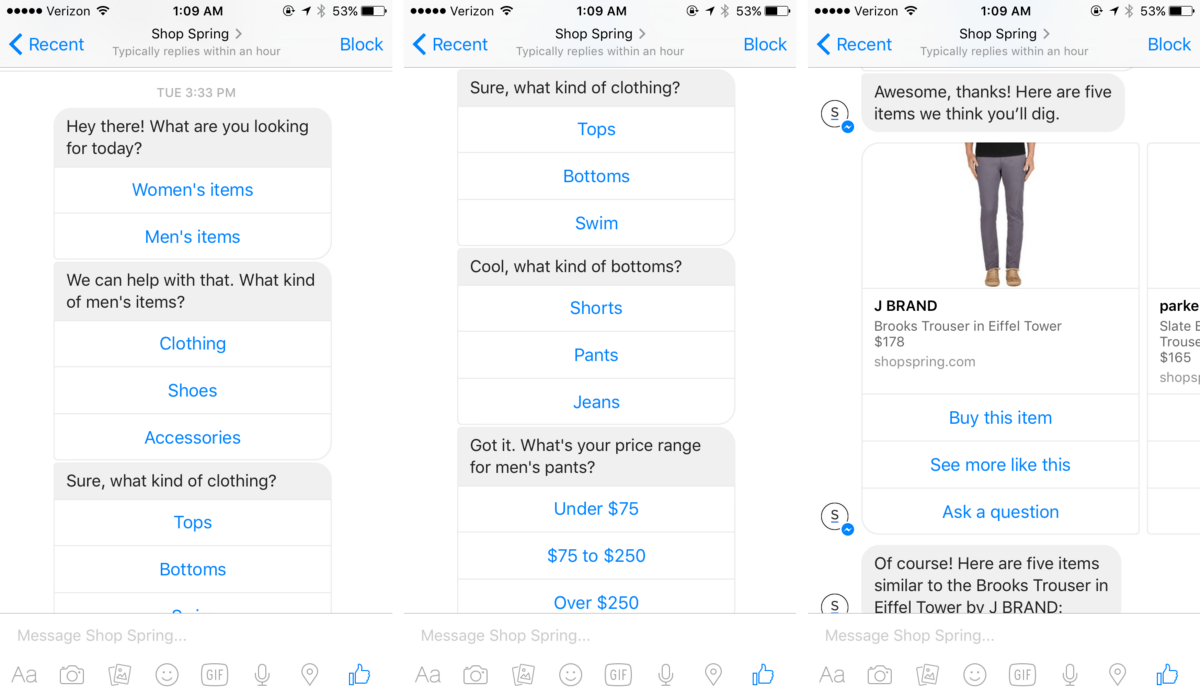
Screenshots of my first “messages” with Spring’s bot.
Facebook’s VP of Messenger made a point of saying that Facebook believes that UI (buttons, basically) combined with chat is how they foresee conversational commerce working in reality, and you can see that the initial experience with Spring’s bot isn’t very different from a simple category tree: gender > product type > clothing category > secondary category > price.
This type of rigid structure isn’t necessarily ideal (there’s no easy way to find sales, or shop by size, for instance), but it’s easy enough to navigate. Upon making my (required) price range selection, I’m presented with five products. I’m not given any option to narrow by color, or fabric, or size. But fine. I swipe through each pair, one by one, and find one I like. I tap on “see more like this.”





Stay updated on the go with our mobile app.
Get latest insights with smoother, more personalized experience through TIA mobile app.