China-based Maxthon, recently released its desktop browser for Mac OS X. And now the company has followed it up by releasing an iPhone Maxthon browser, and has incorporated some interesting features.
The most notable advantage of the new iPhone browser is the new start screen called ‘Quick Links Center,’ where you have an array of icons for most commonly visited websites. You can add and edit these links, and customize it to your own convenience.
The address bar is sort of Chrome-ish, and anticipates what you might be looking for by suggesting results from bookmarks, browser history, and search engines. One problem I noticed here is that while the search bar provides options to search Google, Bing, Yahoo, and Ask, the keyboard doesn’t allow for the input of a ‘space’ – thus limiting your search to one-word queries [1] (see below).
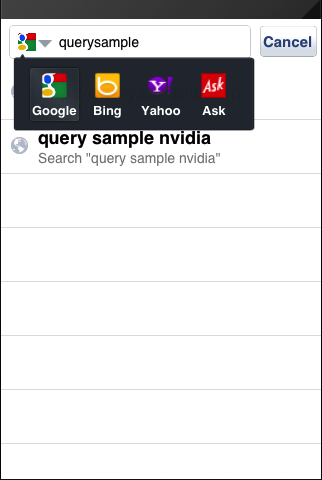 You have search options... |
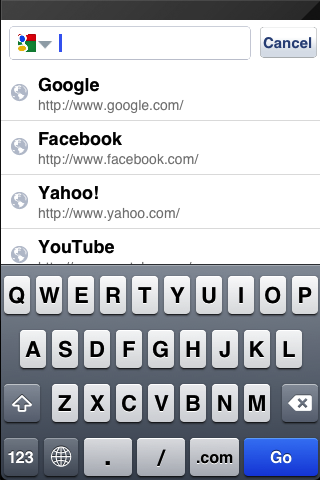 ...but cannot do two-word searches. No space! |
The other interesting feature is ‘Reader Mode’ which is not turned on by default, but makes articles more readable once you turn it on. Navigate to a web page and it will, after a second or two, present a readable version when possible. I can’t really call this an ‘attractive’ feature though, because unlike the many mobile reading apps out there, this one doesn’t add any pretty typography or styling. Indeed the text looks like plain html without any styling applied at all.
Maxthon for iPhone also brings cloud sync of bookmarks and favorites across multiple devices, as well as a download manager. Overall, I think it’s a solid alternative, and worth trying if Mobile Safari isn’t your thing.
If you’d like to give Maxthon for iPhone a try, you can get it here. If you’re on an iPad, you can try Maxthon’s previously released browser for iPad here.





Stay updated on the go with our mobile app.
Get latest insights with smoother, more personalized experience through TIA mobile app.