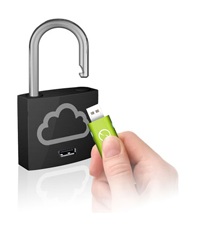
 The iTwin, a Singapore-developed, double-sided thumbdrive that lets users securely and remotely access files from another location, now has a new feature. Called SecureBox, it enables the device to act as a ‘key’ to your Dropbox files.
When you attach the USB device to your laptop, you can associate it with your Dropbox account. Any file that you drag into the SecureBox folder will be automatically encrypted and sent to Dropbox.
Now, the file can only be decrypted using the same thumbdrive. Suppose you’re at your office and want to access a spreadsheet you’ve encrypted and uploaded to Dropbox at home. To access the file, simply plug in the device into your computer.
The device uses AES 256-key encryption, a standard adopted by the US government to protect its classified files.
The SecureBox feature, which just launched this week, will be pushed as a free download to all iTwin users. The device can be purchased on Amazon or the iTwin website for USD99.
This video demonstrates how it works:





Stay updated on the go with our mobile app.
Get latest insights with smoother, more personalized experience through TIA mobile app.










📅 Upcoming Events
22 October 2026
Payoneer x CSPN Summit 2026