Paul Bischoff · · 4 min read
How to publish your own articles, promotions, and invitations on WeChat using this cool new tool
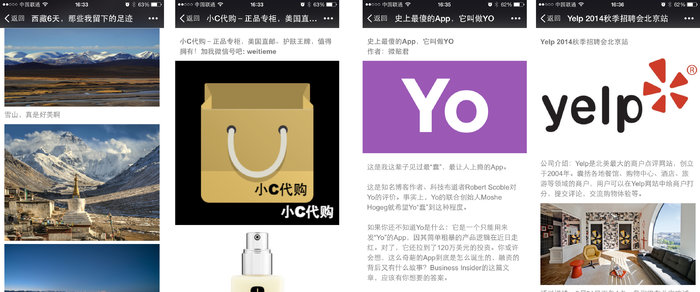
If you want something to go viral in China, WeChat is your best bet. The messaging app and social network has become a focal point of daily life, and that includes being a major outlet for the app’s 468 million monthly active users to share and consume content.
But how does that virality happen? Most Chinese mobile browsers come with two share functions specifically for WeChat: one for messaging and one for Moments, a stream not unlike Facebook’s news feed. Sure, you can copy and paste a URL, but it won’t be pretty and probably won’t garner much attention.
These links show up in a similar format to Twitter cards – containing a title, thumbnail photo, and brief summary – that are much more shareable and visually pleasing. For simplicity’s sake, we’ll refer to these as WeChat cards.
If you just want a one-off way to spread the word without creating an entire blog or website, there’s now a way to do that with a new WeChat app called Weitie (微贴). Use WeChat’s QR code scanner at the above link or search the account weitieme to access the app, which is housed in an official account.
Several ideas come to mind for what Weitie could be used for. Show off an apartment you’re trying to sublet. Rant about a local store that scammed you. Find a buyer for that used bike that’s been collecting dust. Tell everyone about your recent vacation adventure. Or send out detailed invitations for your upcoming holiday party.
Weitie is made by the same team that created Strikingly (hat-tip to Pingwest), a US-based website building tool. The app is all in Chinese for now, so here’s a quick guide with English translations on how to publish your own articles, advertisements, and announcements on WeChat.
The tutorial
Once you’re following the aforementioned account, you’ll see this dialogue in your chat. Click the left-most menu at the bottom of the screen to create a new Weitie, and choose if you want pictures and text or just pictures. For this demonstration, we’ll do pictures and text.

Next, you’ll receive a message asking you what type of post you want to create. They are listed as follows:
- A photo album with captions
- Product display, for showing off items
- An article, like a news story
- A campaign, such as an invitation or announcement
Despite the different options, they seem to more or less all look and function exactly the same. Perhaps this is something Weitie plans to expand on later. Type the number of your desired format and hit send.
Keep in mind that if you can’t read the Chinese and get mixed up, the English version of WeChat allows you to long press messages and translate them into rough but usable English.
Next, you’ll be asked to add a cover photo. Just hit the plus button and add an image from your gallery as you would if you were sending a photo to a friend. You can also skip this step by typing “1”. Note that this step bugged on me a couple times and I didn’t receive the next prompt. If that happens, just send the photo again. It won’t be added twice.










📅 Upcoming Events
30-31 March 2027
Upskill Fest