Today, Baidu announced the launch of a new product called Baidu Reader. It’s a reading app for the PC that combines the functionality of document-reading software with Baidu’s massive library content, allowing readers to browse and purchase books online as well as search for and read documents from a variety of Baidu services, such as their mega-encyclopedia, Baidu Baike. Users can also read their own documents in-app. The app is available for free download here and runs on XP, Vista, and Windows 7.
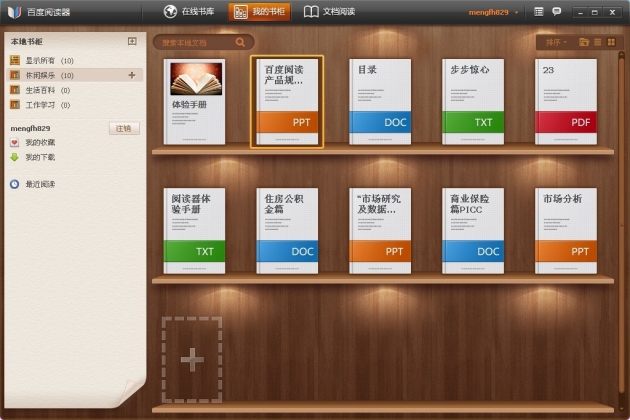
Baidu reader, home screen
We’re a pretty Mac-friendly crowd here at Penn-Olson, so we haven’t gotten a chance to test it out for ourselves yet, but after poring over the official site, Baidu’s press materials, and speaking with their PR team, we think we’ve got a pretty good grasp on what’s going on here.
Basically, it’s a document reader that integrates seamlessly with Baidu’s robust content offerings. Users can use it to organize and read their own documents — txt, Word, PDF, and even Powerpoint files are all supported — but they can also browse the massive library of books already on the Baidu Reader Open Application Platform and purchase reading materials directly in the app. Many of these books are actually free, though, as Baidu has made advertisement revenue-sharing agreements with the copyright holders. And of course, data from other Baidu services like Baidu Baike is also searchable and readable from within the program.
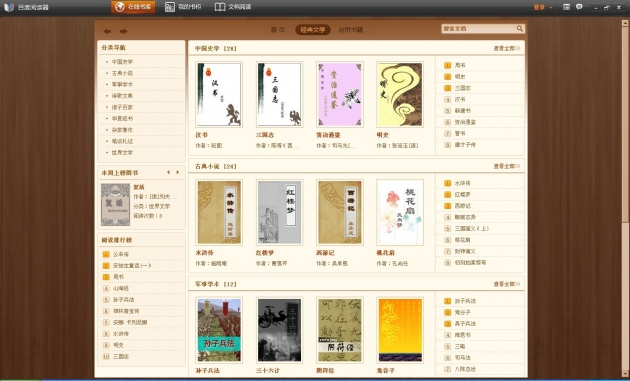
Browsing the selection of classic books in Baidu Reader, via their Baidu Reader Open Application Platform
Visually, the UI is attractive; books and documents are organized on wooden-looking shelves with a sidebar menu to aid in organization. In point of fact, it looks very similar to iBooks’s interface, but we’re willing to give Baidu a pass on this one, since both apps are really just replicating the look of bookshelves. It’s sort of inevitable that one bookshelf-based UI is going to look like another. For reading, users can choose fullscreen mode to eliminate distractions, a “book” mode that replicates the look of reading a book on a wooden desk, or regular mode.
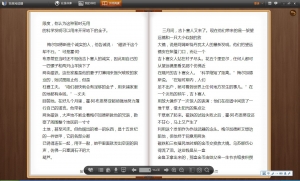
Reading in book mode
Baidu was tight-lipped on whether or not they’re working on a mobile version, but given that the company just launched its own Android-based mobile OS back in September, we’d be pretty shocked if they weren’t. We expect a mobile version, at the very least one for Android/Baidu Yi, is already in the works. Apple iOS users shouldn’t be surprised if a version hits their devices either, but Mac computer users may be in for a long (read: endless) wait, as there doesn’t appear to be any indication anyone’s working on a Mac version just yet.
We’ll try to get our hands on a PC and give this thing a whirl as soon as possible. In the meantime, PC users can download it here.
[All images via the app’s official site]





Stay updated on the go with our mobile app.
Get latest insights with smoother, more personalized experience through TIA mobile app.