The author, Anthony Coundouris, is the founder of accounting and analytics firm Futurebooks.
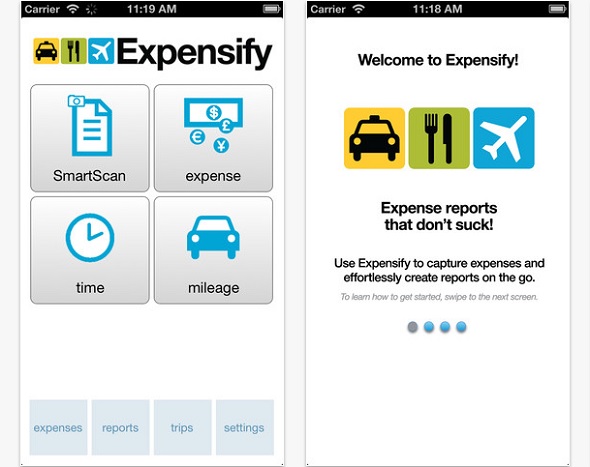
Expensify is the best of the bunch. Read on to find out why.
Compiling expense reports, which track employee’s expenses incurred while performing company duties, are one of the most time consuming bookkeeping tasks. A startup of two employees and one director can spend as much as 12 hours a month keying in personal expense claims.
For this reason, staff dread the task of submitting monthly expense claims, and are often late in presenting expense claims to management.
Enter expense trackers
We road-tested a bunch of mobile apps to see if this tedious task could be improved. The objective of our experiment was to decide if it is quicker to manually key receipts into Excel, or to scan them using a mobile device. To beat Excel, the apps will have to:
- Scan and process the receipt quickly and accurately;
- Classify the receipt using a correct expense line item;
- Tally the receipts in an expense report.
How we tested the apps
We examined two kinds of applications: simple scanners and expense trackers. We measured each app based whether it offered the following features, and how accurately the features performed.
- Brightness control. Scanning, optimising and storing an image of the receipt.
- Edge detection. Auto detecting edges and scope for manual adjustment.
- OCR capability. Conversion of the pixel image to real numbers and words.
- Tagging. Posting the receipt to the correct expense line item(s).
- Sharing. Ease of sharing an expense or report with others.
- Reports. Tallying expenses claims as a single page report.
In each instance, we downloaded an unpaid version of the app to an iPhone 4. While we expected the paid version to offer better functions and volume scanning, the free version would be enough to determine the app’s strengths and weaknesses. Each application was tested using the same conditions.
The test was conducted indoors, flash off and utlilizing natural daylight from nearby windows. Each app was tested using two types of receipts. A large A4 invoice created from a laser printer and a small 1×1 inch taxi receipt created from a thermal printer. The experiment was run twice and the results averaged.
Receipt scanners we tested
We tested DocScan, Page Scanner, ImagetoText, Jotnot, and Genius Scan. No receipt scanner we tested offered reports or tagging of expense claims. The receipt scanners that offered optical character recognition were slow to process the image and were inaccurate.





Stay updated on the go with our mobile app.
Get latest insights with smoother, more personalized experience through TIA mobile app.