Terence Lee · · 6 min read
Digify, a Snapchat for documents, is an app Quentin Tarantino would love
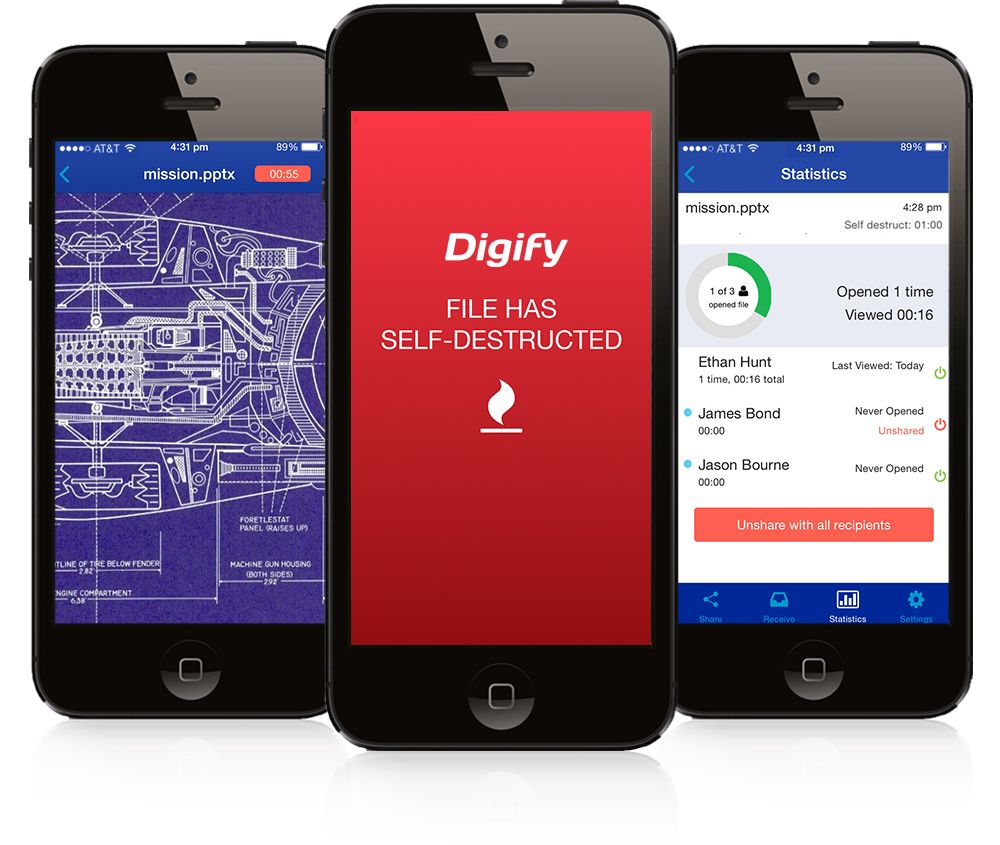
In the Mission Impossible films, a message self-destructs in five seconds. Snapchat has turned that concept into a viral hit with 80 million active users.
Now, Singapore startup Digify is creating a Snapchat for documents, specifically, images, PDFs, and Microsoft Office files. In theory, it allows users to send secret documents to recipients without worrying that they will make unauthorized copies.
Hollywood director Quentin Tarantino would find it useful, after his script for upcoming movie The Hateful Eight leaked to the press. He ended up suing Gawker Media and modified his script, wasting time, money, and energy.
Digify’s usefulness extends beyond the entertainment industry. Technology companies could send blueprints to outsourced development firms and prevent the designs from being seen by competitors. Marketing agencies could pass pitches to potential clients without worrying that they would give the idea to firms that would do it more cheaply. Meanwhile, contractors could send specifications to bidders and ensure that only the winner would have a permanent copy.
But aside from the ephemeral nature of the file transmission, the comparison between Digify and Snapchat ends. While Snapchat is, well, a chat app, Digify is primarily a secure way to send and view documents. It has Dropbox integration, making it suitable for professionals who get work done on their mobile devices.
“The core of our technology is document streaming. Think of it as a YouTube for documents,” explains Augustine Lim, co-founder and CEO of Digify. This means that unlike Snapchat, which stores photos from the sender on the receiver’s phone, Digify only stores a file on its server from the time it is sent to the moment it self-destructs.
Short of stealing the sender’s phone, this feature prevents the receiver from downloading and distributing a copy of the file since it is viewable only using the app.
It matters for another reason: when a file is deleted on your smartphone or computer, it becomes hidden rather than erased. This means that it is retrievable with expensive forensics software unless the storage space is overridden by another file. Digify avoids this challenge by storing the file only on its servers.
That’s not the only safeguard Digify has. The iOS app alerts a file sender whenever a viewer tries a screen capture, then immediately removes access to the file. Mobile versions of Digify can stop image capture through remote viewing tools like Apple Airplay or Droid @ Screen. The Android and desktop versions go even further: it disables screen capture whenever the document is being viewed. The desktop app also prevents itself from being run in a virtual machine (VM), which is a means of enabling screen capture since it happens outside the VM.
In the backend, the startup protects all user files using AES–256 encryption, and claims that engineers have no access to the encryption key (which decrypts the files) and the file content. For security reasons, Lim could not elaborate on where it stores the key.
Of course, foolproof security doesn’t exist, and Digify’s measures can be overcome. A file receiver could snap pictures of the document before the timer runs out. The startup is exploring ways to prevent that, such as adding watermarks containing the receiver’s email to act as a “psychological” barrier to prevent photo taking.
But while the measure could prevent documents from going public as it would expose the leaker, watermarking probably won’t be as effective in stopping a financial document from ending up on the desk of the user’s competitor.
Wackier ways to overcome Digify’s defenses exist, such as getting someone with exceptionally good memory or fast handwriting to make notes. Then again, addressing these problems requires technology that lies on the border of what’s possible, so Digify isn’t the only one dealing with this issue.
Is the barrier high enough?