Last year, Baidu (NASDAQ:BIDU) launched its own browser application, the creatively-titled Baidu Browser. Today, the Chinese search giant has launched version 2.0, and is touting significant improvements. My colleague Steven gave the browser a thorough review back when it originally launched, but I thought I’d take a gander at the new version. Which, by the way, is Windows-only, so move along, Mac users.
The browser and I got off to an inauspicious start. During the installation process, I was asked if I wanted it to automatically create a desktop shortcut for me. I did not, and told it so, but somehow after installation a Hao123 shortcut appeared on my desktop. Not cool. I actually did this twice — I uninstalled the browser and then had to reinstall it when I realized I hadn’t taken screenshots yet — and there’s definitely no way to opt out. Still, it’s better than having superfluous software (or spyware) installed, which plenty of Chinese programs do. An annoying desktop shortcut is easily taken care of; viruses not so much.
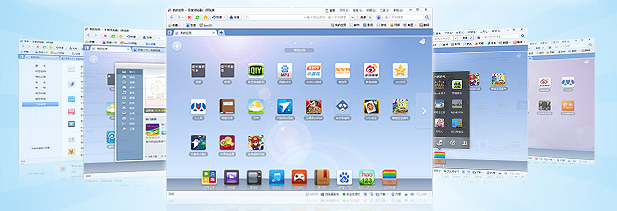
After deleting the Hao123 shortcut, I fired up the actual browser. The home screen is more or less the same, with Chrome-like pages for your most visited sites, apps, and games, as well as an OS X-like dock along the bottom. As with version 1.0, everything is customizable — you can switch backgrounds, move apps and pages around, and generally fix things how you like them. Flicking between these pages feels fantastic — very smooth and responsive with a mouse — but other aspects of the experience clearly aren’t as finely tuned. Several times when I clicked on apps to open them nothing happened because the browser thought I was clicking them to drag them somewhere else. Am I clicking wrong? Perhaps, but this doesn’t seem to happen to me with other browsers.
Many of Steven’s complaints from last time around remain valid. As before, many of the “apps” are just links to websites rather than actual HTML5 apps. There are a few real apps, and they’re well done, but more would be better. Of course that’s just the default apps; there are plenty more to choose from online in Baidu’s intuitively-organized marketplace. But a lot of those are just links, too.
It also shares the rendering issues that plagued version one, probably because it’s based on a “dual core” Webkit and IE rendering engine (that’s what Baidu told us, anyway). This won’t be a big issue for Chinese users, since many Chinese websites are designed and tested on the assumption that visitors are all using IE anyway. The Chinese sites I tested all looked fine. It doesn’t work as well for foreign websites, though, and it did some odd, ugly things to Penn Olson that a user of Firefox or Chrome wouldn’t see.
One excellent addition to this version of the Baidu browser is tool buttons in the top right of the browser window that give quick access to a few commonly-used functions. “Internet banking,” for example, opens a window with logos and links for the online banking pages of all of China’s big banks. Baidu has also added translation, though as yet it only seems to include Chinese, English, and Japanese.
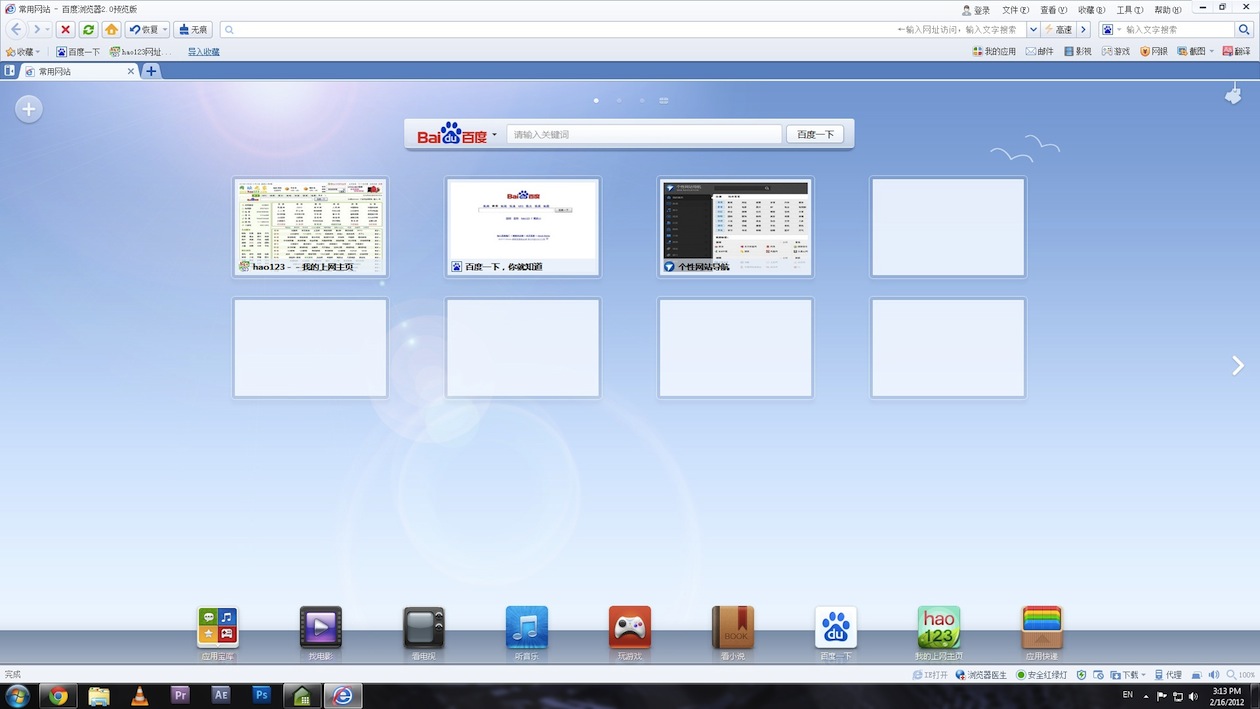
Click to see a larger version of this image
There’s also a screenshot button that allows you to take a shot of the whole page, or select a section. Unfortunately, it doesn’t actually save the image for you, just copies it to your clipboard, so you still need to open up another application to edit anything or save the screenshot. This is pretty disappointing; as a frequent user of Chrome’s “Awesome Screenshot” extension, I would have loved to see a native implementation with that sort of functionality (or even more; say, the ability to save as different filetypes), but as it is, Baidu Browser’s screenshot feature offers only a very narrow advantage over the “Print Screen” button on your keyboard.
Of course, one of the most touted updates is the new browser’s security, which I am not even remotely qualified to test. That said, if it’s really safer, it would be worth the upgrade for that reason alone.
Of course, this isn’t the end of the road for Baidu’s browser. On the Baidu Beat, official spokesman Kaiser Kuo writes:
Down the road, look for versions of the Baidu Browser that will offer even more improvements in user experience. We’ll follow user feedback closely, and continue to do our utmost to fulfill our mission of providing the best and most equitable way for people to find what they’re looking for online.





Stay updated on the go with our mobile app.
Get latest insights with smoother, more personalized experience through TIA mobile app.