
Scan and join us on weibo!
This morning Sina Weibo launched a QR code feature which allows every user to have their own QR code. Once someone scans it, they will be brought to the owner’s profile page.
To scan or create your own QR code, you can log on to your Sina Weibo account within the Android or iPhone app (version 3.1.0 only) and hit the “contacts” button. Click on “Find a contact” and the QR code feature can be found at the top. For folks who are on Sina Weibo already, you can scan the QR code on the right to follow us (or just go here).
This QR code usage resembles the method that was kickstarted by WeChat where everyone can create and customize their own QR code within the app, and then share that any way you fancy. WeChat, with its 200 million users, is a different beast to the Twitter-esque Sina Weibo, but there’s still a rivalry between the two as some social overlap occurs. Clearly Sina decided to copy the social QR codes as a way for having users connect with each other.
If you fancy making your own without going into the app, you can test out the brand-new Sina Weibo’s QR code generator (pictured below) over at m.weibo.com/web/qrcode.
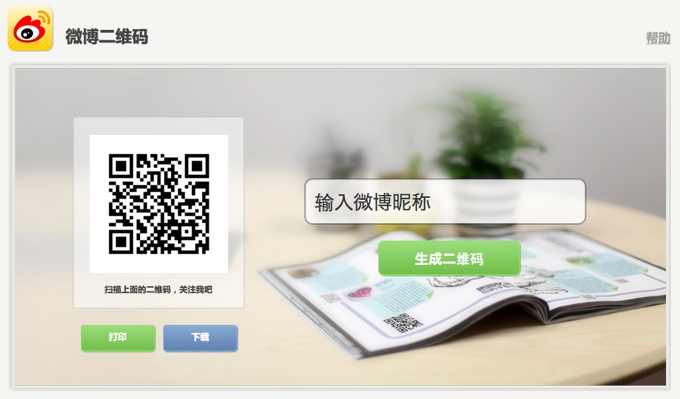
Sina's new page for users to create - and slightly customize - their social QR codes.





Stay updated on the go with our mobile app.
Get latest insights with smoother, more personalized experience through TIA mobile app.













📅 Upcoming Events
30-31 March 2027
Upskill Fest