 Zell Liew · · 7 min read
How to learn Javascript easier by setting up a better development environment
Have you encountered any of these three problems when learning Javascript?
- Getting confused with the Javascript syntax
- Getting errors whenever you write Javascript because of stupid typo mistakes
- Forgetting what methods are available, so you need to search Google even for something as simple as
addEventListener
I’ll show you how to tackle these by setting up a better development environment.
Make syntax easy with a syntax highlighter
A syntax highlighter is a tool that differentiates keywords and types of content through colors.
Here’s an example of a text that’s not highlighted:
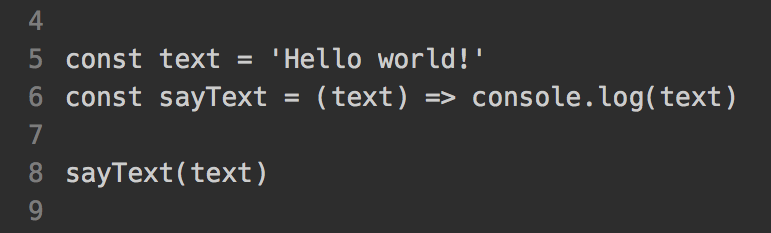
Code that’s not highlighted.
Here’s one that is:
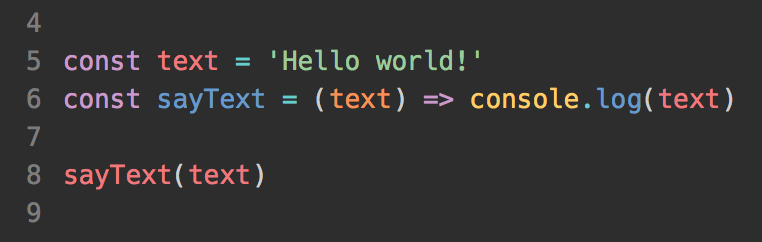
Highlighted code is easier to read.
Which is easier to read?
At first, syntax highlighting may throw you off, as you may not be used to the dizzying number of colors. But once you get used to it, syntax highlighting helps you make fewer mistakes.
I know at a glance, for example, that const is a keyword since it’s purple, sayText is a function since it’s blue, and Hello world is a string since it’s green.
So, your first step to learning Javascript is to pick a code editor that supports decent Javascript syntax highlighting. If you’re unsure what to go for, I highly recommend either Sublime Text or Atom.
You can also customize the theme your text editor comes with. There are many popular themes out there, including:
Catch typos with a linter
Remember methods easily with snippets
Wrapping up





Stay updated on the go with our mobile app.
Get latest insights with smoother, more personalized experience through TIA mobile app.












📅 Upcoming Events
30-31 March 2027
Upskill Fest