- Insights This article was written by a TIA community member. Insights pieces undergo the same rigorous editorial process that newsroom-produced articles have.
 Peter Schroeder · · 3 min read
This is how I built a working conceptual prototype for my app in less than a week
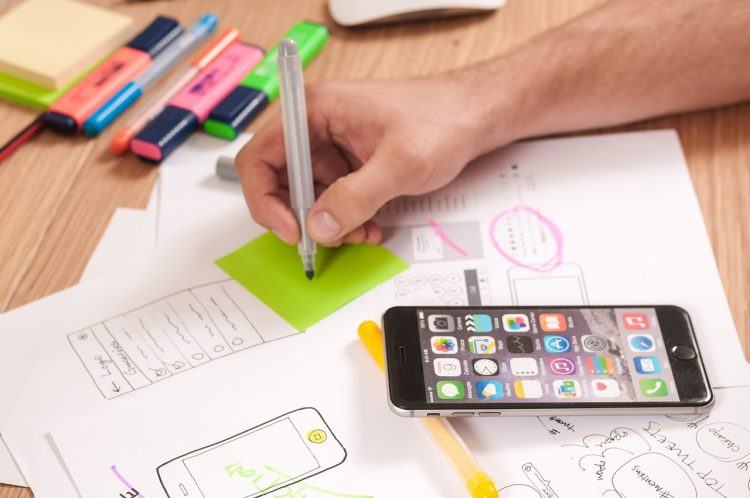
Photo credit: Firmbee.
When I came up with an idea for my app, I knew no one was going to take me seriously unless I showed it to them. I also wanted to work through the concept myself to give more context to it.
But getting people to take me seriously wasn’t my concern. I cared less about explaining my idea because, in reality, my plan was complex. I was also looking for a partner since I’m not a developer by profession. But I needed to have a prototype first before I could search for a mobile developer.
My only option was to design a working conceptual prototype, which I had never done before, so I tasked myself with completing the project in less than a week. I began my research and got ready to grind.
Hacking my way to a prototype
Having no experience in design or development, I realized I was going to have to hack my way to a prototype. If you don’t have the technical know-how to accomplish something, sometimes the best thing to do is to just get scrappy, learn what you need to, and put together something awesome.
I began by looking for the simplest app prototype builder and discovered InVision. It helps you transform your web and mobile (iOS and Android) designs into clickable, interactive prototypes and mock-ups.
It is as simple as importing some screenshot designs and then adding overlay buttons to perform actions. But for me, it was as simple as, “If they click a spot, then they will go to app design [x].”
After playing around the builder for a while, I realized it would be a breeze to create my prototype with InVision. Now all I needed were the screenshots.
Dang Fiverr, you got it going on
I have heard too many people take shots at Fiverr. While you are never going to get top-of-the-line quality from the site, it’s solid. If you use it for the right projects, it can be a lifesaver!
By searching for app designs, I found a ton of reasonably-priced sellers who were willing to work with me. After sorting and corresponding with a few prospects, I settled on one I wanted to work with.
We negotiated and they agreed to design 10 app screens in less than five days with unlimited revisions for US$50. It was a no-brainer for me! I had all of the specs I wanted to be designed already and sent them over. After some revisions and adjustments, the total time to get the final designs was five days.
I still had two days left to turn the designs into a functioning prototype.
This is too easy.
I can’t say enough about InVision. They make it beyond simple to plug in screenshots and create anything you want, which is exactly what I did.
With a little elbow grease, I was able to make my app look and feel just like I wanted it to. It also helped me lay the groundwork for things I wanted to do with the app by giving me a clear understanding of how every feature would look and feel.
The finished prototype





Stay updated on the go with our mobile app.
Get latest insights with smoother, more personalized experience through TIA mobile app.










📅 Upcoming Events
30-31 March 2027
Upskill Fest