 Josh Horwitz · · 5 min read
Qblinks is a notifications device and iPhone remote control for everything… and nothing (REVIEW)
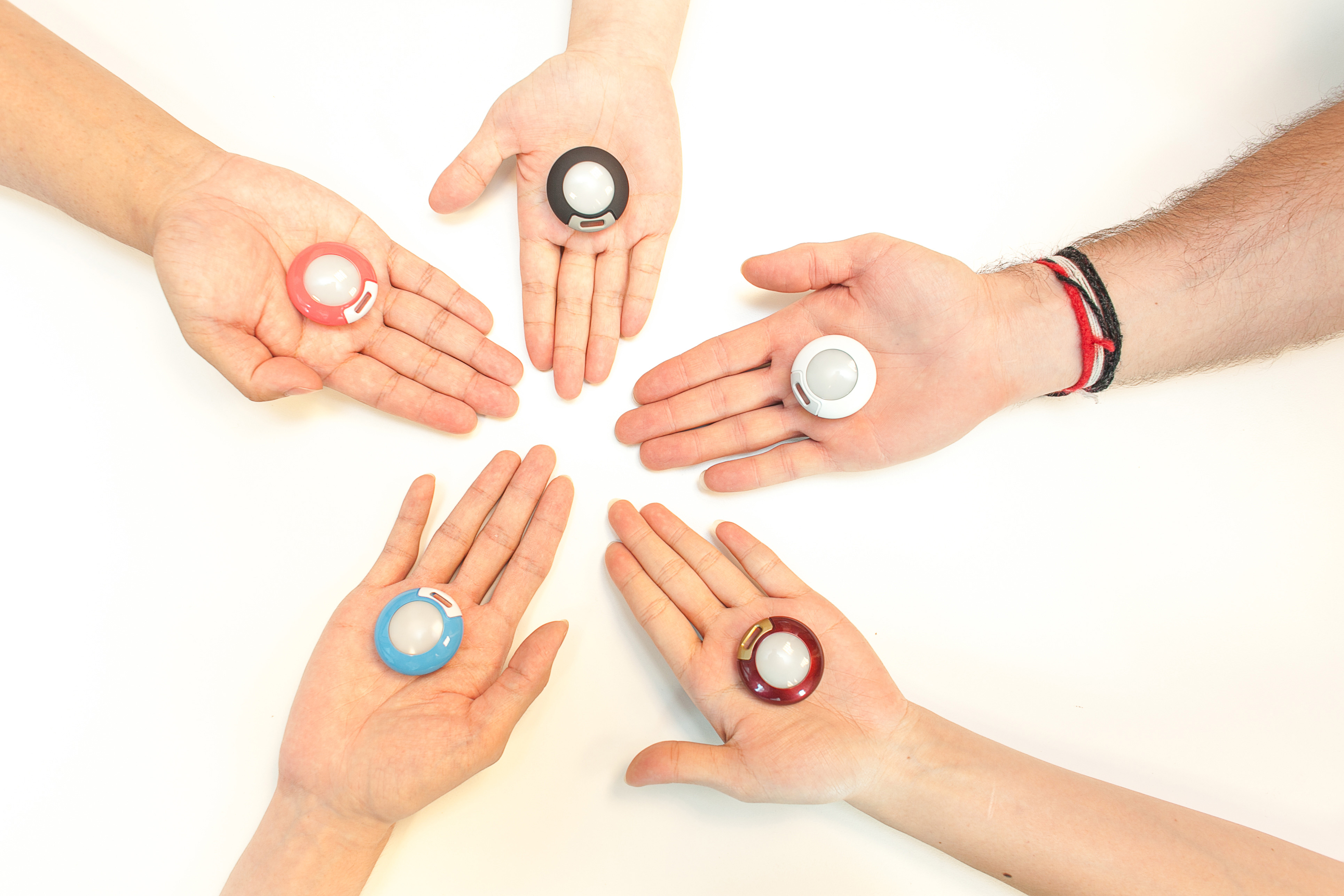
Ever wanted to see your iPhone notifications without actually looking at your iPhone? Ever wanted to control your iPhone without ever touching it? Most consumers will probably answer these questions with a resounding “Huh?” (or perhaps a resounding “No”). For the remainder, Qblinks might be worth a look.
Qblinks is an unusual device – it’s a niche product that tries to be everything to everyone. A palm-sized device that looks like a flying saucer crossed with a Pokeball, Qblinks uses low-energy Bluetooth technology to communicate with one’s iPhone. The Taipei-based team is currently fundraising on Kickstarter.
Qblinks’ basic premise is twofold. The first part centers around notifications. Users download the Qblinks app and match it up to their nearby Qblinks device. They can then tinker with its settings to make their iPhone’s notifications carry over to Qblinks. For example, users can configure Qto flash once, in green, upon receiving a phone call. One flash in blue might mean you’ve got a text message. Two flashes in blue might mean you received a Facebook message, and so forth.
The second premise of Qblinks involves using the device as a remote control for one’s iPhone. Press the Qblinks button twice to activate the camera, for example. Or, set Qblinks to an audio preset and control the music that’s playing from iTunes. One press for Play/Pause, two consecutive presses to skip forward, and so forth.
At the time of this piece’s publication, the Qblinks team is still working on finalizing the cloud technology that lets Qblinks connect to other apps. As a result, as Tech in Asia takes it for a test drive, the “notifications” features only work for phone and SMS, and the “remote control” features only work for music and photos. Even so, once you hold the device in your hand and poke through the in-app settings, you get a pretty good idea of what you’re in for.
Readers who follow Kickstarter campaigns closely (they’re out there) might notice that the “remote control” part of Qblinks is basically a remote version of Pressy – a customizable button that attaches to the smartphone’s headphone jack. That’s an apt comparison, but there’s one key difference between the two products. Since Pressy goes right onto one’s phone, it basically adds an extra button to a one-handed device. But Qblinks is a standalone product. As a result, tasks that ought to be a one-hand jobs suddenly become cumbersome two-hand jobs.
Consider Qblinks’ camera function. Per the default settings, users have to open the iPhone’s camera app, and then can press Qblinks to take a photo. Now you’ve got one hand on your iPhone, which you’re aiming at your subject, and one hand on the Qblinks. This might be useful in some cases – maybe you’re trying to snap a selfie and can’t angle your thumb so it hits the on-screen shutter accurately – but we’re already in nitpicky territory here. As I play with the photo command on my Qblinks demo device, I’m struck by how cool it feels to shoot a photo, from my phone, using a device that’s connected to it wirelessly. Ah, the wonders of modern technology – if only they weren’t so pointless sometimes.
Qblinks’ command feature might be useful for those who have tricked out apartments with Nest, Hue, and other smart home devices. Walk into your home after work, switch on the A/C with one tap on Qblinks, and then turn on Sade with two taps (what, you don’t like a little Sade after work?). But even this use case seems unlikely. For one thing, many of these devices are programmed to learn user habits so you don’t have to ever turn them on – walk into your home and Nest switches on automatically, for example, once your iPhone hits the wifi network. Moreover, why not just use a phone to begin with?
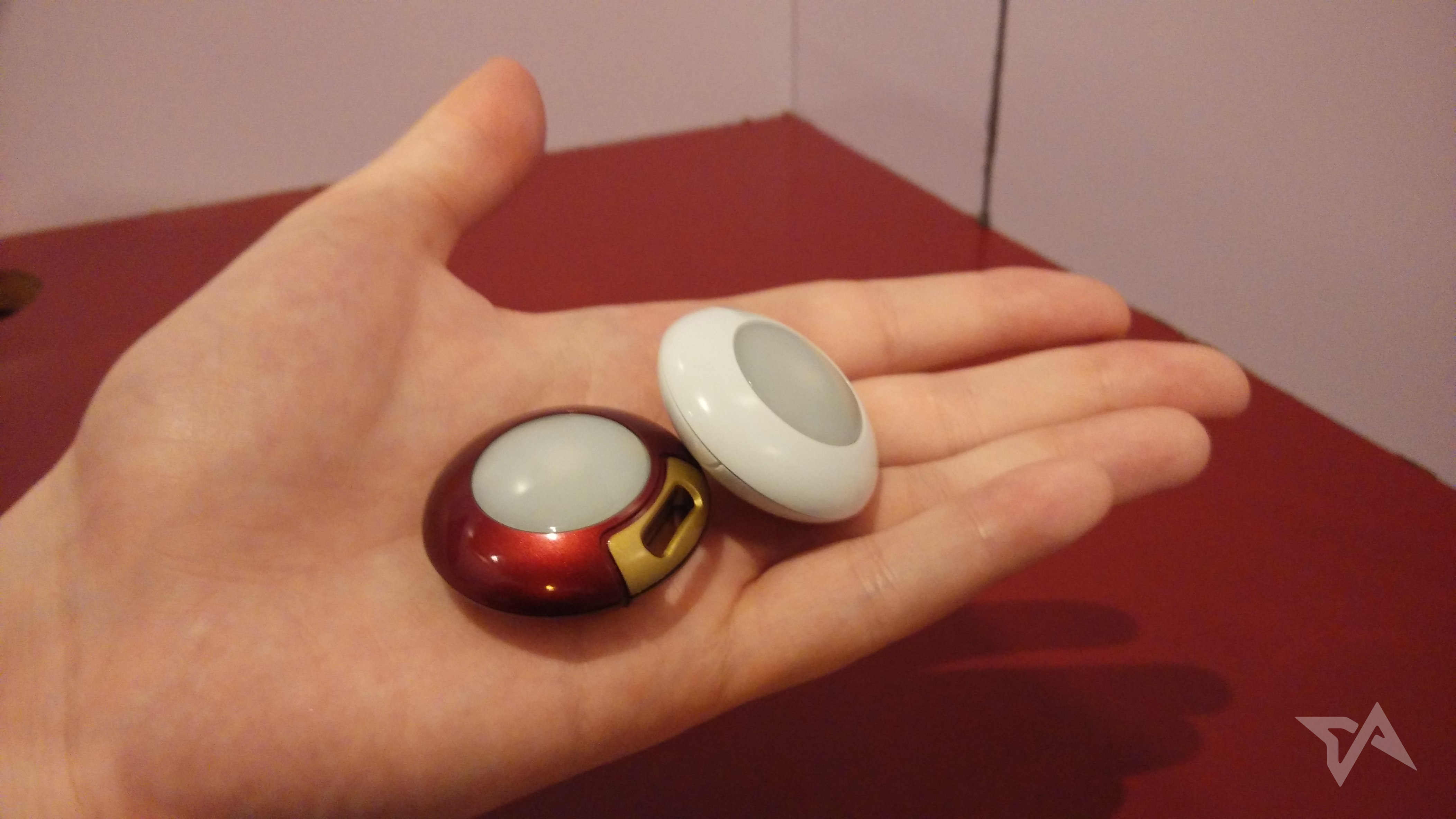
Qblinks might be forgiven for its vague use case scenario when one considers that it’s only been in development since June. Before that, the QBlinks team was part of the Research and Development arm at Advanced Communication and Technology Solutions (ACTS), a subsidiary of Taiwan’s United Fiberoptic Communication (UFOC). It’s not entirely clear why the Qblinks team spun out of ACTS to form a sexy startup with a nice Kickstarter page. Founder Samson Chen says that the team’s product-minded nature made them better suited to work as an independent entity, with its own goals and accounting, since ACTS specializes in “services” for businesses (it counts domestic telco Chunghua Telecom as one of its main customers). “If they really want to do consumer stuff, it’s not very easy for them to do that,” explains Chen.
As I used QBlinks this past week, it didn’t amount to much more than novelty for me. That’s partially because I’m clearly not the product’s target user. I don’t use my iPhone for phone calls or SMS (and seldom use my Android phone for them either), so no notifications there. The cloud-based notification feature that syncs to other apps was also a no go, since it’s a work in progress. Really the only thing I could do was play music, take pictures (two taps) and move to my iPhone’s home screen (one tap). That’s right – Qblinks’ default settings involve using a separate device just to swipe around iOS.





Stay updated on the go with our mobile app.
Get latest insights with smoother, more personalized experience through TIA mobile app.










📅 Upcoming Events
30-31 March 2027
Upskill Fest