 Rick Martin · · 3 min read
Google Translate for Android Adds Handwriting Recognition, Supports Japanese and Chinese
The Google Translate app for Android just added an experimental handwriting recognition support for a number of languages: English, French, Italian, and German – but perhaps far more importantly, for Japanese and Chinese. The unique challenge for anyone who struggles with understanding these last two, is that it’s often very hard to look them up since they aren’t based on the alphabet. But looking up characters in a dictionary can be a chore, particularly Chinese characters, since you need to be familiar with radicals and even then it’s a pain.
This is especially true for any travelers who might be visiting Asia on a short trip, if they are struggling with signs or menus while out and about. While there are already a number of solutions out there that try to solve this problem [1], it’s great to see Google (NASQAQ:GOOG) bring handwriting support to the translate app.
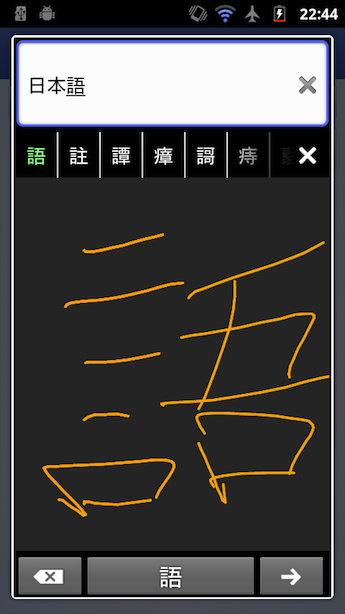
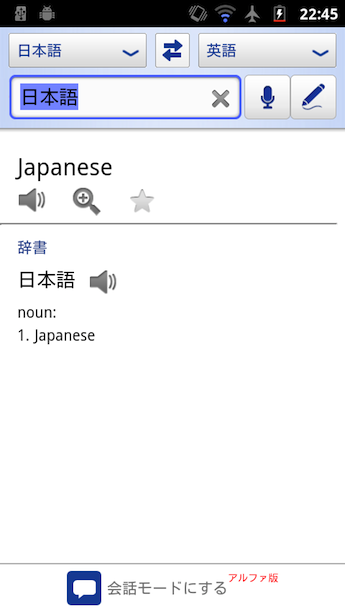
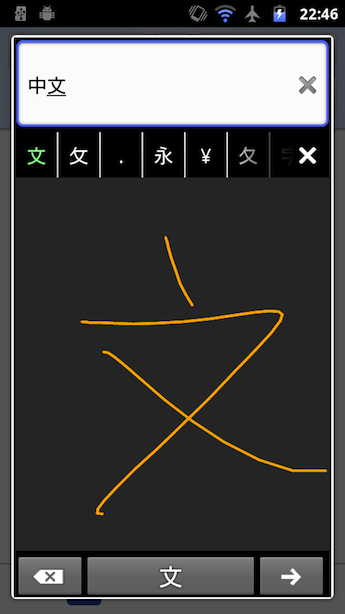
To use it, have a look for the pencil icon in the top right, and then go ahead and write the character that you wish to look up. Assuming your writing is good enough to be recognized, you’ll be presented with the English translation (see pictures below).
I was a little skeptical on writing characters on a mobile screen without a stylus, but I gave this new feature a quick test run and it works really well (see screenshots below). It’s certainly a handy way to quickly identify tough characters when you’re about and about, and I think can it can be a very good tool for language learners as well.
If you’d like to give it a try, make sure your Google Translate app is up to date, and take it for a spin.
|
|
|
|
|





Stay updated on the go with our mobile app.
Get latest insights with smoother, more personalized experience through TIA mobile app.








📅 Upcoming Events
22 October 2026
Payoneer x CSPN Summit 2026